Category: Apps

This is the section of the website which covers detail about new technology and apps. There are thousands of applications online. Learn how to make use of these applications and use it up to its best. Learn about different brands and their apps. Select and choose which app suits you best as per your own needs. Now, with the help of apps, you can save your time and money both and lead a better life. Download your free app now. As we all are going cashless, in the same way, we can watch online music, movies, TV, Books, and access magazines anytime and anywhere with the help of apps. Explore the new games of apps. Track your location, ensure women’s safety with the help of apps. For better results, it is advised to download the app directly from the play store. Make use of apps and make your life simpler.
  • How to Pause Piso Wifi using 10.0.0.1 IP Address?

    How to Pause Piso Wifi using 10.0.0.1 IP Address?

    Piso WiFi is a popular business venture in the Philippines. It is a type of vending machine that provides internet access for a fee. It is commonly found in public places such as malls, cafes, and transportation hubs. Piso WiFi machines use an internet connection that is shared among multiple users. To access the internet, users need to insert a coin into the machine. The machine then provides a username and password that can be used to connect to the internet.

    If you are managing a Piso WiFi machine, you may want to set a pause time for the internet

    connection. This can be helpful if you want to schedule maintenance or limit

    usage during certain times. Most Piso WiFi machines come with a built-in pause

    time feature that can be adjusted according to your needs. You can access this

    feature through the machine’s settings menu, and also learn how to pause Piso WiFi using the 10.0.0.1 IP address.

    What is 10.0.0.1?

    10.0.0.1

    is a private IP address that is commonly used as the default gateway for many

    routers. A default gateway is the IP address that a device uses to communicate

    with other devices on a network. In the case of Piso WiFi machines, 10.0.0.1 is

    used as the default gateway for the router that provides internet access to the users.

    How to pause Piso WiFi using 10.0.0.1?

    To pause

    your Piso WiFi connection, you need to access the router’s settings using the 10.0.0.1 IP address. Here are the steps to follow:

    Step 1: Connect to the Piso WiFi machine

    Connect to

    the Piso WiFi machine using a device that is connected to the same network as

    the machine. This can be done by searching for the available network and connecting to it using the provided username and password.

    Step 2: Open a web browser

    Open a web browser on your device and type in 10.0.0.1 in the address bar. This will take you to the router’s login page.

    Step 3: Login to the router

    Enter the

    username and password for the router. If you haven’t changed the default login

    credentials, you can use “admin” as the username and “password” as the password.

    Step 4: Navigate to the settings page

    Once you

    have logged in, you will be taken to the router’s settings page. Navigate to

    the “Advanced Settings” or “System Settings” section, depending on the router model.

    Step 5: Pause the connection

    Look for

    the “Pause Internet Connection” or “Disable Internet

    Access” option and click on it. This will temporarily pause the internet connection for all users connected to the Piso WiFi machine.

    Step 6: Resume the connection

    To resume

    the internet connection, simply click on the “Resume Internet

    Connection” or “Enable Internet Access” option. This will restore internet access to all users connected to the Piso WiFi machine.

    Conclusion

    Pausing your Piso WiFi connection using the 10.0.0.1 IP address is a simple process

    that can be done in a few easy steps. By following the steps outlined above,

    you can pause your internet connection temporarily for maintenance,

    power-saving, or to manage network congestion. It is important to note that

    pausing your connection will affect all users connected to the Piso WiFi

    machine, so it is best to inform them beforehand. Additionally, make sure to resume the connection as soon as possible to avoid inconvenience to your users.


  • How to Find and Add Someone on Snapchat

    How to Find and Add Someone on Snapchat

    Snapchat is a social media platform that allows users to share photos, videos, and messages that disappear after a short period of time. 

    Here are some of the features of Snapchat:

    Snaps: Snaps are photos or videos that users can send to their friends or post on their stories. Snaps disappear after they are viewed, although users can choose to save them.

    Stories: Stories are a collection of snaps that users can post and view for 24 hours. They can be used to share moments from everyday life, as well as for marketing and branding purposes.

    Snapchat Plat Order: the planets will let you know that you are closest to which users as per the Snapchat planet orders and make sure you are marked as sun.

    Filters: Snapchat offers a variety of filters that users can apply to their snaps, including face filters, lenses, and location-based filters.

    Discover: Discover is a feature that allows users to explore content from media partners and influencers, including news, entertainment, and branded content. Read this guide to hacking Snapchat accounts to know more tips for discovering new content.

    Snap Map: Snap Map is a feature that allows users to see the locations of their friends on a map. Users can choose to share their location or keep it private.

    Messaging: Users can send messages to their friends on Snapchat, which disappear after they have been viewed.

    Bitmojis: Bitmojis are personalized cartoon avatars that users can create and use to express themselves in snaps and messages.

    Snapchat has become popular among younger generations as a fun and creative way to stay in touch with friends and share their lives with others. However, it is important to use Snapchat responsibly and be aware of the potential risks associated with social media use, such as cyberbullying and privacy concerns.

    How to Find Friends on Snapchat

    To find friends on Snapchat, you can follow these steps:

    • Create a Snapchat account if you don’t already have one. You can download the app from the App Store or Google Play Store and sign up with your email or phone number.
    • Sync your contacts. After you create your account, you will be prompted to allow Snapchat to access your contacts. This will allow you to find and add friends who already have a Snapchat account.
    • Add friends by username. If you know the username of the person you want to add, you can search for them by tapping the search bar at the top of the screen, entering their username, and tapping “Add Friend.”
    • Add friends by Snapcode. Snapcodes are unique QR codes that can be scanned to add friends on Snapchat. You can scan someone’s Snapcode by pointing your camera at it and tapping and holding on the screen.
    • Discover friends through Quick Add. Snapchat’s Quick Add feature suggests friends that you might know based on your mutual friends or shared interests. You can access Quick Add by swiping down on the camera screen.
    • Join a public group or create your own. Snapchat offers public groups on a variety of topics, which you can join to connect with people who share your interests. You can also create your own group and invite friends to join.
    • Remember to only add people you know and trust on Snapchat, and be mindful of your privacy settings to ensure that you are sharing your content only with the people you intend to.

    What is Snapchat Plus?

    Snapchat Plus is not an official Snapchat feature or application. It is a third-party app or modification that allows users to access additional features and tools not available on the original Snapchat app, such as the ability to save Snaps, use different fonts and colors in their Snaps, and more. However, the use of third-party apps or modifications with Snapchat is not recommended, as it violates Snapchat’s terms of service and can lead to account suspension or termination. Additionally, third-party apps can potentially compromise the security of your account and personal information. It is recommended to only use the official Snapchat app for the best and safest experience.

    How to Find and Add Someone on Snapchat

    To find and add someone on Snapchat, you can follow these steps:

    • Open the Snapchat app and log in to your account.
    • Tap on the search bar at the top of the screen.
    • Enter the person’s username, full name, or phone number into the search bar. If you don’t know their exact username or full name, you can try searching for common nicknames or mutual friends.
    • Tap the “Add” button next to the person’s username in the search results.
    • Wait for the person to accept your friend request. Once they accept your request, you’ll be able to view their Snaps and Stories and send them Snaps and Chats.

    Alternatively, you can also add someone on Snapchat by scanning their Snapcode. To do this, follow these steps:

    Ask the person to send you a screenshot of their Snapcode, which is a unique QR code that represents their Snapchat account.

    Open the Snapchat app and tap on your profile icon in the top left corner of the screen.

    Tap on the “Add Friends” option.

    Tap on the “Scan” option.

    Use your phone’s camera to scan the Snapcode that the person sent you.

    Once the Snapcode is recognized, tap the “Add Friend” button to add the person to your Snapchat contacts.

    Remember to only add people you know and trust on Snapchat, and be mindful of your privacy settings to ensure that you are sharing your content only with the people you intend to.

  • What’s the difference between a Label and a Decal?

    What’s the difference between a Label and a Decal?

    As consumers, we encounter labels and decals every day, but have you ever stopped to consider what the difference is between them? While both are used to identify and provide information about a product, they serve different purposes and are constructed differently. In this article, we’ll explore the differences between labels and decals, and why understanding these distinctions can be important for businesses and consumers alike.


    What is a Label?


    A label is a piece of paper or material that is attached to a product or packaging. It can contain information such as the product name, ingredients, instructions for use, and any legal or regulatory information required by law. Labels can also be used for branding purposes, with a company logo or tagline prominently displayed.


    Labels are usually printed on a roll or sheet and can be applied to products using adhesive or pressure-sensitive backing. They can be made from a variety of materials, including paper, plastic, and fabric, and can be designed in various shapes and sizes to fit different products.


    What is a Decal?


    A decal, on the other hand, is a design or image that is printed on a material and then transferred to a surface using adhesive. Decals are often used for decorative purposes, such as customizing a car or personalizing a laptop.


    Unlike labels, decals are not used to provide information about a product or brand. Instead, they are used to create a specific aesthetic or to display a message. Decals can be made from a variety of materials, including vinyl, paper, and fabric, and can be printed in a wide range of colors and designs.

  • QuickBooks Tool Hub 2023

    QuickBooks Tool Hub 2023

    QuickBooks is a powerful accounting software that helps businesses keep track of their financial transactions, manage payroll, and generate reports. The software is widely used by small and medium-sized businesses and has become an essential tool for many. However, like any software, QuickBooks can encounter errors and issues that need to be resolved quickly to ensure the smooth running of the business. To help users resolve these issues, Intuit, the makers of QuickBooks, have created a tool called QuickBooks Tool Hub.


    The QuickBooks Tool Hub is a collection of tools that can be used to resolve common errors and issues that may occur in QuickBooks. It is a one-stop-shop for troubleshooting and fixing issues related to installation, company file, network, performance, printing, and password reset. The tool hub has been designed to be easy to use and can help users save time and effort when resolving issues.


    If you are a QuickBooks user and need to download the QuickBooks Tool Hub, here is how to do it in 2023:


    Step 1: Go to the QuickBooks Tool Hub website than Open your web browser and go to the QuickBooks Tool Hub website website. On the homepage, click on the ‘Products & Services’ tab, and then select ‘QuickBooks.’


    Step 2: Navigate to the QuickBooks Tool Hub page

    Once you are on the QuickBooks page, scroll down until you see the ‘Tools’ section. Click on the ‘QuickBooks Tool Hub’ link to be directed to the Tool Hub page.


    Step 3: Download the QuickBooks Tool Hub

    On the Tool Hub page, you will see a ‘Download Now’ button. Click on it to start the download process. The file size is about 240 MB, so the download may take some time depending on your internet speed.


    Step 4: Install the QuickBooks Tool Hub

    Once the download is complete, locate the downloaded file and double-click on it to begin the installation process. Follow the prompts to complete the installation. The QuickBooks Tool Hub will be installed on your computer.


    Step 5: Launch the QuickBooks Tool Hub

    To launch the QuickBooks Tool Hub, double-click on the icon that has been created on your desktop or search for ‘QuickBooks Tool Hub’ in the Start menu. The tool hub will open, and you will be able to access the different tools it offers.


    In conclusion, the QuickBooks Tool Hub is an essential tool for QuickBooks users. It can help you resolve common errors and issues that may occur in the software quickly and easily. By following the steps outlined above, you can download and install the tool hub on your computer in 2023, ensuring that you have access to the latest version of the tool hub.


    about the benefits of using QuickBooks Tool Hub


    The QuickBooks Tool Hub offers several benefits to QuickBooks users. Here are some of the benefits of using the tool hub:


    Saves time and effort: The QuickBooks Tool Hub can help you save time and effort when resolving issues related to QuickBooks. Instead of searching for solutions online or contacting customer support, you can use the tool hub to troubleshoot and fix issues quickly and easily.


    Easy to use: The tool hub is designed to be user-friendly, even for non-technical users. The interface is straightforward, and the different tools are organised logically, making it easy to find the tool you need.


    Comprehensive troubleshooting: The QuickBooks Tool Hub offers a wide range of tools to troubleshoot different issues related to QuickBooks. Whether you’re dealing with installation issues, company file errors, or network problems, the tool hub has a tool that can help.


    Centralised location for tools: Instead of downloading different tools from different sources, the QuickBooks Tool Hub offers a centralised location for all the tools you need to troubleshoot QuickBooks issues. This can help you avoid confusion and ensure that you have the latest versions of the tools.


    Free to download and use: The QuickBooks Tool Hub is free to download and use for all QuickBooks users. This means that you don’t have to pay extra for troubleshooting tools, which can help you save money in the long run.


    In conclusion, the QuickBooks Tool Hub is a valuable tool for QuickBooks users. It offers several benefits, including saving time and effort, being easy to use, offering comprehensive troubleshooting, providing a centralised location for tools, and being free to download and use. By using the QuickBooks Tool Hub, you can ensure that your QuickBooks software is running smoothly, allowing you to focus on your business operations.


    about the different tools available in QuickBooks Tool Hub


    The QuickBooks Tool Hub offers several different tools that can help you troubleshoot and fix issues related to QuickBooks. Here are some of the tools available in the tool hub:


    Company File Diagnostic Tool: This tool can help you resolve issues related to your QuickBooks company file. It can detect and fix common errors such as damaged company files or incorrect transactions.


    Quick Fix my Program: This tool can help you resolve issues related to the QuickBooks software itself. It can fix common issues such as program crashes, missing or damaged files, and installation issues.


    Program Diagnostic Tool: This tool can help you diagnose and fix issues related to QuickBooks program components. It can help resolve issues such as missing or damaged components, issues with .NET Framework, or issues with the Windows operating system.


    Password Reset Tool: This tool can help you reset your QuickBooks password if you forget it or need to reset it for security reasons.


    Install Diagnostic Tool: This tool can help you resolve issues related to QuickBooks installation. It can detect and fix common issues such as missing or damaged installation files, issues with Windows components, or issues with antivirus software.


    Print and PDF Repair Tool: This tool can help you resolve issues related to printing and PDFs in QuickBooks. It can detect and fix common issues such as missing or damaged print or PDF components.


    By using the different tools available in the QuickBooks Tool Hub, you can resolve issues related to QuickBooks quickly and efficiently. The tool hub offers a comprehensive suite of tools that can help you troubleshoot and fix different issues, allowing you to focus on your business operations instead of spending time trying to resolve technical issues.

  • Top Grocery Delivery Apps and Their Features Compared

    Top Grocery Delivery Apps and Their Features Compared

    There was a time when buying groceries was quite a time-consuming and hectic task to do. As we needed to go from one store to another store to collect the needy grocery products and even had to stand in a long queue to buy the products. But as grocery delivery applications have come into our life the whole scenario has changed and even become wonderful. With the upsurge in mobile applications to make your daily tasks easy, you are no longer required to leave your house just to get grocery products. All you need to do is use the grocery shopping apps or grocery delivery app, and you are good to go.

    Nowadays, People are running short on time, as they are following a hectic schedule. In addition, most people don’t feel good about going to the store and buying groceries. These apps are convenient as well as worth choosing and using.

    As these apps are making our life easy and also safe to use too, for that reason, these apps are winning the hearts of customers and the number of grocery app users has been gradually increasing day by day. And as it is a growing market so the demand for these apps is also growing day by day. And if you check the app store and play store then you may find thousands of grocery shopping apps, but as the number of these apps is increasing tremendously, the competition is growing. For that reason, you may find it difficult to find the best one. So, to help out you with this purpose we are here to provide you with a list of the best online grocery shopping apps. So, to know the top-rated grocery delivery app, scroll down and collect the details.

    List of the Best Grocery Delivery Apps for you

    Out of so many benefits of using the grocery app, one most pleasing reason is that customers don’t have to wait in line at check-out counters, and the grocery product will be delivered to their doorstep. All you need to do is simply add the products you want to buy to the cart, and then simply choose the payment option from the given options and get the delivery to my doorstep.

    Want to know which instant grocery delivery apps are good to go with?

    If so, keep on reading this blog and know the list of top-rated grocery delivery apps in the app market that is running successfully:

    Bigbasket: The best grocery delivery application

    Bigbasket comes at the top of the list of grocery delivery apps. Since it was launched in 2011, the user number is growing day by day, the reason is its on-time delivery and high order filling rate. 

    Whether you want farm-fresh vegetables or dairy products, or even if you are looking for regular kitchen items, you can use the Bigbasket which is capable of bringing the entire supermarket to your fingertips. Doesn’t it sound interesting? For sure it is.

    Along with all the above things it comes with secure and multiple payment options, out of which you can choose one payment mode at your convenience. The option may come such as e-wallets, Cash on delivery, net banking cards, etc. Along with that the Bigbasket grocery app is available in 7 different languages & serves the major parts of India, including the main cities. 

    However, we would call this mobile app the top-rated grocery delivery app because of its No-questions customer return policy. Yes, customers can return the product if they don’t like it. During the entire return process, you will not be asked any questions. In addition, you get a ten percent refund policy here if you don’t get your order in the stated time. 

    And in case you are wondering if the products such as fruits and vegetables they provide would be fresh or not, then we are here to tell you, to maintain the freshness, the farm products are delivered directly from the farms.

    Grofers: Grocery delivery app

    Grofers, which is now known by the name Blinkit, was founded in 2013 and since it was launched the number of users is consistently increasing, and people are feeling satisfied to use this grocery delivery app to get grocery products. The best part is being a user you can explore a variety of brands here and get the farm products such as fruits and vegetables at the lowest cost possible.

    During the time the COVID pandemic hit the country, the demand for Grofers increased tremendously. As the Blinkit application promises a strict ten-minute delivery option, more & more people have started using it, which is one of the top reasons for making it the best grocery delivery app. 

    If you have used Golfers to shop the Grocery product then for sure the outcome would be satisfaction. As it is affordable and fun to use. Besides all these, this app provides exclusive offers and deals that are something no one wants to miss. Furthermore, you can access the application in more than 6 languages and take advantage of the features such as in-app chat & e-wallet.

    So, for us, it is safe to say that Grofers is one of the perfect choices for an instant grocery delivery app.

    Flipkart Supermart:

    Here comes another trending grocery delivery app, Flipkart Supermarket. Which is gaining the attention of a number of customers, and making it one of the best grocery delivery apps. Out of so many reasons to trust the Flipkart Supermarket, the primary reason is the trustworthy name behind it, i.e., Flipkart. The second reason, of course, is the offers and services you get here.

    Flipkart Supermart will undoubtedly be your one-stop destination for those who are looking to get grocery products at their doorsteps. From grains to species to dairy and other products, you can buy the products by simply following a few steps. You can’t deny its eye-catching online presence, as Flipkart is strengthening its presence in various cities, which implies that you get both options- either pick up the groceries from the store or get it at your doorstep. 

    Another interesting option in this app is the “Buy Now Pay Later” option. Yes, by using this option users can buy groceries on credit cards and pay later. And last but not least, you will get quality products here.

    ONLINE GROCERY APP & FOOD DELIVERY SOFTWARE SYSTEM:

    Want to launch your own grocery app? Looking for readymade grocery food shopping and delivery software systems? Are you looking for a mobile app development company? Looking for an eCommerce web app for your supermarket business? Then we are here with this custom online grocery system that will help you to develop your own grocery app for your grocery business too within just a few days. Ionicfirebase, a reliable grocery app development company, offers a ready-made online grocery software system that can help you to take your business online and expand your business. This system comes with a blend of services that includes the e-commerce web app, Flutter user app, Flutter delivery app, & CMS dashboard. This system offers amazing features that can help you to build a powerful online ordering software system or app so that you can grow your business. This system is built in such a way that can help you to enhance the online home grocery ordering experience for your customers. All you need to do is to get this readymade mobile grocery store app and give it your brand name and launch it. Though you may need to alter some parts of the app, then you can hire flutter developer from a reliable flutter app development team provider. They will do it for you and will deliver you a fully functional mobile app that has all features you will require for an online grocery shopping system that makes shopping easy for your customers or shoppers. 

    MULTI-STORE GROCERY APP

    Another reliable online grocery shopping and delivery system for your supermarket business with multiple-store support is none other than Multi Store Grocery App. This one is surely a worthy option if you are running more than one store. Choosing this Multi-store grocery system would actually be worth it if you want to build your own grocery mobile and web app in just a few days. Being a well-known mobile app development organization, Ionicfirebase offers an amazing multi-store grocery software system. This system is a complete package that includes FLUTTER USER APP, E-COMMERCE WEB APP, CMS DASHBOARD, and FLUTTER DELIVERY APP. To create a wonderful online ordering mobile app for your grocery shop, this mobile app system is the best as this app offers multiple features, which help you to enhance the online home grocery ordering experience for your customers. 

     ONLINE GROCERY SHOPPING AND DELIVERY SYSTEM

    This mobile app is developed to deliver a feature-rich online grocery shopping and delivery system app. And this mobile application is a collection of five apps as a complete SaaS solution for multi-vendor Grocery Store business. For those who are looking to start an online grocery delivery system with multiple locations and stores, this is surely the best package/solution to go with. This flutter grocery SAAS application will assist you to develop your grocery business at multiple locations with your own mobile application.  

    Ionicfirebase

    Being a top-rated grocery app development company, Ionicfirebase has delivered so many mobile apps that are running smoothly and catching the eyes of customers. So, you can connect to the Ionicfirebase to get the readymade as well as the on demand mobile app development at a reasonable price. 


  • The Future of HVAC: How Machine Learning Is Revolutionizing the Industry

    The Future of HVAC: How Machine Learning Is Revolutionizing the Industry

    The heat, ventilation, and air-conditioning (HVAC) industry is a rapidly growing one. Year after year, new technologies step up to change the game. One of the latest tech trends to do so is machine learning. It’s been all the talk, and the buzz surrounding it is justified thanks to its applications in a variety of industries. So you might be wondering, what exactly is machine learning? And why is it so revolutionary in the HVAC industry? Here’s what you need to know about machine learning.


    What Is Machine Learning?


    If you’re familiar with artificial intelligence, the tech involving machines that imitate the human brain, then the concept of machine learning (ML) shouldn’t be so foreign. Machine learning actually falls under a category of artificial intelligence – meaning that all types of machine learning count as artificial intelligence, but the converse is false. Machine learning is all about a machine’s ability to learn from data without the need for programming. Hence, the focus is on developing programs that can use this data – leading to a data-driven HVAC industry. 

    What Are The Challenges in the HVAC Industry? 

    Despite being a flourishing sector, the HVAC industry still faces its share of challenges. One, in particular, is the maintenance of HVAC equipment. Not having a competent workforce to maintain these can be more costly in the long term. Maintenance usually includes regular check-ups, filter changes, and proper cable management. And that’s just a small piece of the pie. Other known issues in the industry involve high costs and power consumption. Because of this, many explore the applications of new technology to alleviate these problems.

    How Is Machine Learning Revolutionizing the HVAC Industry?

    Building and maintaining an HVAC system is far from easy. In these times, we turn to new technologies, such as machine learning, to make our lives easier. Now, let’s get into the specifics of how it does this. Here’s how ML is a game-changer in the industry. 


    Cost Reductions

    The main goal of innovating is not only to streamline processes, but also to reduce costs – this is what machine learning is capable of. Because HVAC units reduce their power consumption, this also effectively lowers any costs associated with it.  

    Create New Designs

    When building managers look to improve their design, one thing they consider improving is their HVAC system. By analyzing historical data in the system, machine learning allows you to create new HVAC designs that are more cost-effective and at the same time, environmentally-friendly. All of these increase the efficiency of HVAC units. Hence, incorporating machine learning into cost-saving strategies will be effective in the long run. 

    Reduced Environmental Impact

    If there’s one thing that consumes huge amounts of power, it’s definitely the HVAC system of any building. In fact, approximately 40% of every building’s power consumption is attributed to HVAC alone. That’s a huge chunk of a building’s power consumption and it’s the reason why many try new ways to optimize it. 


    As we all know, a higher power consumption translates to a higher carbon footprint. For companies looking to become more sustainable, machine learning can easily help them attain that goal. For instance, they can consider using airside economizers which use outside air for cooling. As a result, the compressor runs less which effectively reduces energy consumption. Also, they sometimes contain smart sensors that measure carbon dioxide levels, which helps determine the number of people at a given time. From this data, ventilation rates are automatically adjusted by these sensors, increasing the comfort levels of the occupants as well. 

    Predictive Maintenance 

    Another plus of using machine learning in the HVAC industry is preventive maintenance. This technique is commonly used in data analytics to predict possible issues before they can even occur. Machine learning typically uses historical and present data to arrive with a decision on predictive maintenance. This allows maintenance teams to act urgently to reduce the chances of these occurrences. 

    Personalization 

    As mentioned previously, artificial intelligence is a form of tech that simulates the human brain, and machine learning is a subset of this umbrella term. That being said, it shouldn’t come off as a surprise that a machine could learn more about your preferences. Whether you want more airflow in a certain area or prefer a warmer temperature, machine learning can obtain some information on the occupants’ preferences. From this, they create personalized experiences, thereby increasing comfort levels and at the same time, reducing power. 


    In Conclusion 

    With all of its applications in the HVAC industry, it’s safe to say that the road to the future is paved with machine learning. Not only does it effectively reduce costs, but it also helps the environment and increases efficiency of HVAC units. As we learn more about its applications, the HVAC industry is poised to thrive especially with machine learning by its side. And as of now, it’s showing no signs of stopping.

  • The Pros and Cons of DIY App Development

    The Pros and Cons of DIY App Development

    Developing an app can be a daunting task – trying to make the right decisions in terms of design, functionality and usability is no easy feat. However, with the rise of Do-It-Yourself (DIY) app development platforms, it’s becoming increasingly easier for anyone to create an app from scratch. In this article, we will discuss the pros and cons of DIY app development. We’ll also explore how you can use these tools to create an effective, cost-effective application.

    When it comes to developing an app, there are many different ways an app development company can go about it. You can hire a professional development team, you can use a DIY approach, or you can use a mix of both.

    Each method has its own pros and cons that need to be considered before making a decision. Here is a look at the pros and cons of DIY app development.

    Pros:

    • You have complete control over the project from start to finish.
    • It can be less expensive than hiring a professional development team.
    • It can be a fun and rewarding experience.

    Cons:

    • It can take longer to develop an app using a DIY approach.
    • You may not have all of the necessary skills and knowledge required for successful app development.
    • There is always the risk that your app may not be successful.

    The choice of whether to hire a professional development team or use a DIY approach to app development is an important decision. It is important to weigh the pros and cons of each option carefully before making a decision. In the end, it will depend on your individual needs and budget.

    What is DIY App Development?

    There are many reasons why someone might want to develop their own app. Maybe they have a great idea for a new game or productivity tool, or they want to create something specifically for their business. Whatever the reason, there are both pros and cons to consider before taking on a DIY app development project.

    On the plus side, developing your own app can be a very rewarding experience. If you’re successful, you’ll have created something that people will use and enjoy. You’ll also have complete control over your app, so you can make sure it meets your specific needs. And since you’re not working with an outside development team, you won’t have to worry about communication issues or meeting deadlines.

    However, there are some downsides to DIY app development as well. For one thing, it can be a lot of work. Unless you already have experience in coding and app development, you’ll likely need to spend a significant amount of time learning how to create your app. This could mean months of work before your app is ready for launch. Additionally, even if you do have experience, developing an app from scratch takes time and effort – something that not everyone is willing or able to invest in.

    Finally, it’s important to consider the cost of DIY app development. While there are some free resources available, such as online tutorials and templates, in most cases you’ll need to purchase software (such as a code editor) and pay for hosting services before your app is ready

    Pros of DIY App Development

    Assuming you have a basic understanding of coding, DIY app development can be a great way to save money and time. You can develop your app exactly how you want it without having to go through the hassle and expense of hiring a professional developer.

    However, there are some drawbacks to consider before taking the DIY route. First, it takes significant time and effort to develop an app – even with coding knowledge, it’s not a quick process. Second, there’s no guarantee that your app will be successful even if you pour all of your time and energy into it; many apps never take off despite their creators’ best efforts.

    So, is DIY app development right for you? It depends on your individual circumstances. If you have the time and patience to see the development process through, and you’re willing to accept the risk that your app might not be a success, then DIY could be the way to go. 

    But if you’re looking for a faster, more reliable way to get your app up and running, it’s best to hire a professional developer who can ensure that your app meets the highest standards of quality.

    Cons of DIY App Development

    There are several drawbacks to developing your own app, even if you’re armed with the requisite skills. First and foremost amongst these is the cost. Although there are a number of free or low-cost app development platforms available, the reality is that creating a professional-grade app requires investment in both time and money.

    If you’re not an experienced developer, then it’s also likely that your DIY app will be less robust and polished than one developed by a professional studio. This could limit its appeal to users and make it harder to compete in the already crowded app marketplace.

    Finally, it’s worth considering whether you have the time and commitment to see your project through to completion. Developing an app is a major undertaking, and unless you’re confident you can stick with it for the long haul, it may be better to leave it to the professionals. 

    Ultimately, DIY app development is a viable option for some people, but it’s important to weigh up the pros and cons before committing yourself.

    Tips for Successful DIY App Development

    There are a number of things to keep in mind if you’re considering developing your own app. Here are some tips for successful DIY app development:

    1. Do your research. There’s a lot to learn about the app development process, so make sure you educate yourself before getting started.
    2. Plan ahead. Once you know what you want your app to do, map out the development process so you can stay organized and on track.
    3. Don’t underestimate the importance of design. A well-designed app will be more user-friendly and likely to succeed than one that’s not been given much thought in terms of aesthetics.
    4. Make sure you test your app thoroughly before launching it. There’s nothing worse than releasing an app that’s full of bugs!
    5. Promote your app once it’s launched. Getting the word out there is crucial for any successful app, so don’t forget to market your creation once it’s available to download.

    Conclusion

    In conclusion, DIY app development has its pros and cons. It can be a great way to save money and learn more about coding by taking on the challenge yourself. However, it can also be difficult if you don’t have the technical skills or experience necessary. Ultimately, it’s up to you to decide whether DIY app development is right for your project and goals. With a little research and preparation, there’s no reason why you shouldn’t find success in developing your own custom apps.

  • 7 things versatile application engineers ought to zero in on

    7 things versatile application engineers ought to zero in on

    Apple application store is home to 1.3 million applications while Google Play has 1.4 million applications. In such a seriously cutthroat versatile application climate how do coders guarantee their applications hit countless downloads?

    Getting brilliant evaluations by purchasers and hitting 1,000,000 downloads is a definitive dream of a versatile application engineer. Be that as it may, arriving is more difficult than one might expect.

    In a new Techgig online class, Rahul Nischal, senior item director, Core Programming Products discussed central issues an engineer ought to zero in on to construct engaging portable applications.

    1. It’s all in the thought:

    Outcome of a portable application relies upon the center thought on which the application is constructed. The initial step for a designer is to think like the objective client, identify with their trouble spots and in light of this form a portable application that can simplify their lives. At each step, continue to check the application’s ..importance to the end client and realign your item with the client’s requirements.

    Read: What Is AmazonCoin and How Does It Work?

    2. Fill a solitary need:

    A versatile application ought to serve just a solitary capability. Recognize the basic role of your application and spotlight on making it available in one to two taps/clicks.

    3. Keep it straightforward:

    Keeping anything basic is the most troublesome thing. At the point when a versatile application designer can effectively conceal the intricacies of the innovation behind a basic connection point, he draws nearer to progress.

    4. Keep it light:

    Three years back, Facebook application weighed 35-40 MB. Today, it weighs pretty much 10 MB. This significant change happened in light of the fact that the organization understood that its rising client base in India and Africa, where 3G is yet to enter, downloading the versatile application took an awkwardly lengthy timespan.

    Since versatile applications facilitated on application stores are uninhibitedly accessible for worldwide customers, it is ideal in the event that the engineers construct light weight applications which can be capable by clients across topographies, regardless of network difficulties.

    See Also: ouedkniss.co.uk

    5. Well honed center around UI:

    Whatsapp was never promoted before its send off. Despite the fact that many talk applications were accessible, Whatsapp became dramatically because of its prominence among clients. The mystery of their prosperity was its spotless and straightforward UI. To guarantee an easy to understand interface, center around three things while making a versatile application – joy, convenience and usefulness.

    6. Pay attention to the client, embrace and advance:

    Once the application is created and sent off for clients to download, coders ought to keep their eyes and ears open for shopper criticism and continue to develop to give fresher and better elements.

    7. Arrange and fragment clients:

    Makers of the gaming application Furious Birds saw that Android clients could do without to pay for the application downloads, while among iOS clients, a great many people purchased applications and were disinclined of ad mediations on free applications. Getting to know such basic client conduct helps application engineers to construct custom encounters for various sort of client profiles.

    Did You Know:  hiidude.co.uk

  • Top 8 Perks of Having Video Checks in the Banking Sector

    Top 8 Perks of Having Video Checks in the Banking Sector

    The worldwide digital revolution is increasing on a daily basis. Moreover, financial technology supports online payment systems, asset monitoring, and fundraising investments. Thus, it is gaining fraudsters’ attention. These Criminals and hackers are always looking for ways to exploit businesses for their evil goals. 

    The banking industry incorporates online video checks to ensure compliance with anti-money laundering & KYC regimes. However, there were several loopholes in the old and traditional methods, so experts introduced KYC through video calls for reliable and accurate results. Video KYC solution is an advanced and risk-free technique, mitigating the risk of fraud attempts during customer onboarding procedures. 

    KYC Video Checks – An Overview

    The Video KYC process is a far superior online technique of face-to-face identity verification. Enterprises carry out customer verification through a video call assisted by a KYC professional. The customer must prove their identity through legal documents during the video call.

    Top 8 Perks of Video KYC Solution

    • Fully Compliant KYC

    Until recently, eKYC was very famous, where the customers could partially complete the know-your-customer procedure. However, to get all of the services, customers had to visit their branches to perform in-person verification. Thus, KYC video identification is the only option left for completely compliant and online service equivalent to in-person verification.

    • Customer Convenience

    Customers can choose a time and place convenient to get the video KYC process done, as opposed to having to physically visit the banks or wait for the agent to see them.

    • Customer Base Expansion

    Companies can onboard customers using video KYC even from regions where in-person authentication is not possible.

    • Safe, Transparent, and Secure

    Regulatory departments mandate KYC procedures primarily to check 

    • Fraud
    • Money laundering
    • Financial crimes. 

    Once done, the system stores videos for record and access.

    • Bottom-line impact

    KYC through video call is a mandatory and cost-intensive process, having digital properties without logistic expenditures. Moreover, it is one of the most reliable systems for dealing with fraud. According to reports, eKYC is up to 50% less expensive, while KYC video checks save up to 90% of expenses. 

    • Quicker Turnaround Time (TAT)

    Banking and finance are competitive industries. For any reason, if an organization cannot complete the video checks, this leads to a significant business loss. Previously, KYC verification used to take almost 20 days, but now it completes the task in under 15 minutes, all with a high level of digitization.

    • Saving Time & Resources


    Video checks are instant and cost-friendly for banking industries. Business owners can use advanced technology to forgo old approaches which consume a lot of time and resource-draining.

    • Seamless Customer Onboarding

    Thanks to KYC video identification, many new-age banks and financial corporations are growing, providing class-leading customer onboarding, Know Your Customers (KYC), and eventually offering various financial products. 

    This process is beneficial for customers as they can now have access to advanced financial products and services without going anywhere. Moreover, legacy businesses must adapt quickly and digitize their systems, or else they will lose out to the next generation of business.

    The Working Process of Video Checks

    Experts connect with the client through a video-based ID verification process and guide them through the procedures. They also ask a few customer questions to detect any signs of suspicious activity or manipulation. The process of video-based ID verification is below: 

    1. The system provides a registration form for customers to enter their information online.
    2. After registration, a KYC expert connects with customers for real-time identity validation. 
    3. The professional will guide customers through the complete procedure. In addition, face liveness detection will help experts verify the physical presence of customers at the time of verification.
    4. KYC professionals will take permission from the customer to collect and record data. 
    5. The expert asks the customer to provide official documents such as
    • License
    • A Passport 
    1. These trained professionals monitor and identify forgeries in given records and decode the customers’ body language. 
    2. Video KYC solutions use facial verification technology to deter fraud and cyberattacks in real-time with zero human errors.
    3. After the face and document verification, the customer receives the final authentication outcomes. 

    Conclusion

    Banks and financial organizations provide class-leading digital services to their customers. In addition, implementing the latest ID verification systems, such as video checks, becomes essential for fraud prevention. Furthermore, this procedure allows the customer to connect with a KYC professional to verify their credentials and store them as a backup. The professional also asks customers to answer some questions to detect any signs of deception. 

    Implementing video KYC solutions also facilitates the banking sector to comply with up-to-date guidelines. Hence, these sectors can offer a risk-free experience to their customers. 


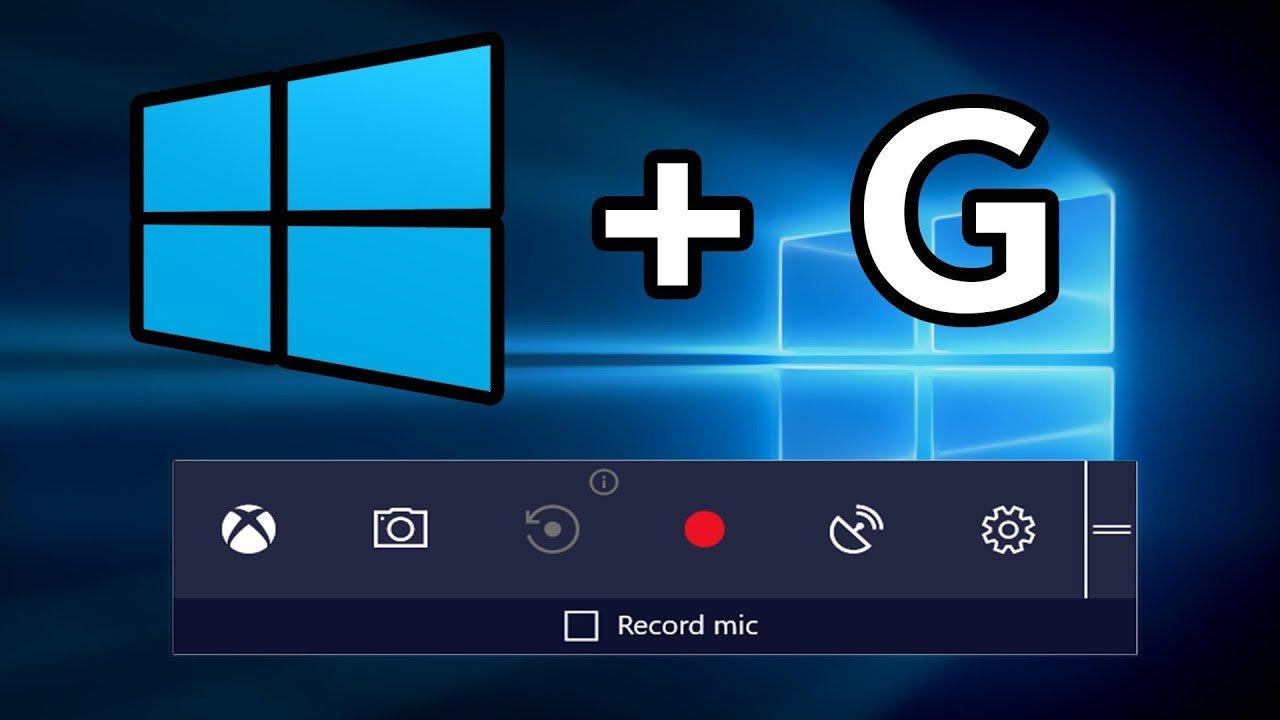
  • How to Screen Record on Windows 10

    How to Screen Record on Windows 10

    Screen recording is a great way to capture what’s happening on your screen, whether creating a tutorial, demonstrating a bug you’ve found, or just recording a funny moment. Windows 10 has a built-in screen recorder that you can use without downloading any extra software, and it’s really simple to use. Here’s how to screen record on Windows 10.

    Below is a step-by-step guide on how to screen record on Windows 10:

    1. Open the Screen Recorder tool

    The first step is to open the Screen Recorder tool. You can do this by pressing the Windows key + G on your keyboard, which will bring up the Game bar. From there, click on the Capture button (which looks like a circle with a dot in the middle). That is the old way to access the Screen Recorder tool. Another way to open the Screen Recorder tool is by searching for it in the Start menu.

    2. Configure your recording settings

    Now that you’ve installed the right software, it’s time to configure your recording settings. To do this:

    -Open the recording software.

    -Click on “Settings” (or a similar option).

    -Configure the recording settings to your liking. For example, you can set the recording quality, frame rate, and hotkeys.

    3. Select what you want to record

    Once you’ve opened the Screen Recorder, you’ll need to select what you want to record. You can choose to capture your entire screen or just a specific portion. Click the “Record Screen” button to record your entire screen. If you only want to record a particular portion of your screen, click the “Select Area to Record” button. You can also choose to record with or without audio. That is because the Windows 10 screen recorder captures both system audio (like music playing) and microphone audio (like your voice).

    4. Start recording

    After you’ve selected what you want to record, click the “Start recording” button in the middle of the screen. Once you do, your recording will begin immediately. You may see a countdown before your recording starts depending on your settings. It is now recording everything that is happening on your screen. It is easy to tell if your recording is active because you will see a small icon in the upper-left corner of your screen that looks like a camera. This recording icon will remain on your screen throughout the recording process.

    5. Stop recording

    Click the “Stop” button in the ScreenRecorder bar to finish your screen recording. Your recording will automatically be saved as an MP4 video file. You can find it in the “Videos” folder on your computer. You can also use the ScreenRecorder bar to pause and resume your recording or take a screenshot of your screen. Just click the “Pause” button or the “Camera” button to do so.

    Conclusion

    You now know how to screen record on Windows 10. Screen recording is a great way to capture whatever is happening on your screen, so make sure to give it a try the next time you need to record something. The simple steps above guide make it easy to record your screen without any extra software. Just remember to hit the “Stop” button when you’re done recording.