Category: Technology

Get to know about the current tech, new update, form of innovation, and how tech is revolutionizing in the market and the industry as a whole. Get the latest news about technology from all around the world. The passionate tech-savvy have so much to share and talk about. We are completely a tech-driven place. Get to know the stories about top companies like Google and Apple and also learn about the small start-ups. How technology is changing and circling around everywhere in some form or the other. 

The new graduates specializing in the field of technology are also welcomed to join our tribe and grow their expertise. It is a platform where all like-minded people can gather up together and start to share their experiences. Study, research, and evolve. Technishorts is a new world of technology. Check out the latest news headlines and select the blog as per your own choice.

  • All About AEC-Q200

    All About AEC-Q200

    Have you ever wondered what is aec-q200 is? Look no further than AEC-Q200! Just like a well-tuned engine, this industry standard is driving innovation and ensuring optimum performance for electronic components used in automobiles. Whether you’re an automobile enthusiast or an electronic engineer, join us on a thrilling journey as we unravel the intricacies of AEC-Q200 testing requirements, its significance in the automotive world, and how it paves the way for cutting-edge technology. Fasten your seatbelts – this blog post is about to take you on an exhilarating ride through all things AEC-Q200!

    History and Purpose of AEC-Q200

    the history of AEC-Q200 traces back to the early 1990s when automakers recognized the need for standardized qualification processes for electronic components. Before its establishment, a lack of consistent industry-wide testing protocols led to potential reliability issues. AEC-Q200 addresses this by providing comprehensive guidelines for evaluating the reliability of automotive-grade electronic components under various environmental stresses.

    Its primary purpose is to ensure component quality and durability, important with the increasing complexity of electronics in modern vehicles. AEC-Q200 establishes uniform standards for testing, enabling manufacturers to verify their products’ resilience to extreme conditions such as temperature extremes, mechanical stress, vibration, and electrical disturbances.

    Compliance with AEC-Q200 not only guarantees high-quality components but also enhances overall vehicle safety and performance. It mitigates risks associated with failures due to substandard parts by setting strict criteria for endurance and longevity.

    Additionally, AEC-Q200 certification instills confidence among automakers, assuring them that integrated components meet stringent quality standards. Overall, the history and purpose of AEC-Q200 highlight its important role in promoting reliable electronics in the automotive sector, contributing to improved product performance and safety, thereby enhancing consumer satisfaction.

    Importance in the Automotive Industry

    Ensuring Safety  

    Rigorous testing protocols simulate extreme automotive conditions, enabling components to withstand extreme temperatures, vibrations, and humidity for safer vehicles.

    Minimizing Component Failures  

    Adherence to AEC-Q200 standards reduces the risk of failures due to challenging environments, enhancing the overall reliability of automotive electronics.

    Streamlining Manufacturing Processes  

    Consistent testing guidelines across suppliers streamline manufacturing, allowing confident sourcing from multiple suppliers without compromising quality or compatibility.

    Boosting Customer Satisfaction  

    Components meeting AEC-Q200 standards assure consumers of durable and dependable electronics, enhancing satisfaction and trust in vehicle safety.

    Promoting Industry Standards  

    AEC-Q200 sets a specific standard for electronic component qualification, fostering consistency among suppliers and contributing to advancements in automotive technology.

    Adapting to Advancements  

    AEC-Q200’s evolution addresses emerging challenges and technological advancements, ensuring components meet the demanding requirements of modern vehicles.

    In conclusion, AEC-Q200 plays a foundational role in the pursuit of excellence within the automotive sector, impacting manufacturing, consumer confidence, and industry-wide standards.

    Key Requirements and Tests of AEC-Q200

    Temperature and Humidity Testing

    Temperature and humidity testing is an important aspect of the AEC-Q200 standard, particularly in the automotive industry where electronic components face extreme temperature variations and high humidity levels. 

    This testing ensures the reliability of components by exposing them to a range of temperatures and identifying issues related to thermal expansion or contraction. It also simulates extreme environmental conditions, exposing components to moisture and condensation that could lead to corrosion or electrical malfunctions. 

    AEC-Q200-compliant testing helps manufacturers ensure that electronic components will function reliably in demanding automotive operating conditions, identifying weaknesses in design or manufacturing processes. 

    Compliance with these standards contributes to the durability and performance of automotive electronics, promoting safer and more efficient vehicles.

    Shock and Vibration Testing

    Shock and vibration testing, integral to the AEC-Q200 standard, ensures electronic components’ resilience in demanding automotive conditions. These tests replicate real-world scenarios, aiding manufacturers in identifying weaknesses. Shock testing assesses a component’s ability to withstand sudden accelerations or decelerations, simulating impacts like collisions. 

    Vibration testing evaluates performance under continuous vibrations, such as those from engine operation or rough roads. Specialized equipment generates precise shock and vibration levels, exposing components to various frequencies. Complying with AEC-Q200 ensures reliability and enhances vehicle safety, important as vehicles rely increasingly on electronics. 

    Rigorous testing minimizes potential failures, contributing to improved quality control processes in the automotive industry. Meeting AEC-Q200’s shock and vibration testing requirements is essential for electronic component manufacturers, guaranteeing reliable performance and elevating overall vehicle safety standards.

    Mechanical Stress Testing

    Mechanical Stress Testing is important in the AEC-Q200 standard for automotive electronic components, evaluating their durability under forces like bending, twisting, and compression. This testing ensures components can withstand real-world conditions without performance degradation. Methods include the bend test and twist test, assessing resistance to bending and torsional forces. 

    Conducting these tests according to AEC-Q200 standards ensures reliability in extreme automotive environments, preventing failures during operation or transportation. Compliance enhances product quality, instilling confidence in manufacturers relying on these components for vehicle functionality and safety. 

    Meeting these standards allows electronic component manufacturers to differentiate themselves and showcase their commitment to high-quality products in the competitive automotive market. Future AEC-Q200 developments are anticipated to address the challenges posed by advancing automotive technologies.

    Electrical Stress Testing

    Electrical Stress Testing, integral to the AEC-Q200 standard, evaluates electronic components’ resilience in automotive settings. Simulating real-world conditions, it assesses performance under diverse voltages and identifies design or manufacturing weaknesses. 

    Rigorous tests like dielectric withstand ensure components endure high voltages without degradation. Adhering to AEC-Q200 standards instills confidence in manufacturers regarding component reliability, enhancing vehicle performance and safety by minimizing potential electrical stress-related failures. 

    For component manufacturers, compliance is important for market access, showcasing a commitment to high-quality products. As automotive technology evolves, ongoing improvements align with future AEC-Q200 developments. 

    In summary, Electrical Stress Testing is important for reliable automotive electronic component performance, aligning with standards for enhanced safety and overall vehicle efficiency.

    Impact on Electronic Component Manufacturers

    Investment in Research and Development  Complying with AEC-Q200 standards necessitates ongoing investments in research and development. Manufacturers must develop new materials and testing methodologies to meet the stringent requirements for extreme temperatures, humidity, mechanical stress, shock, vibration, and electrical stress.

    Competitive Necessity  

    AEC-Q200 certification has become a necessity for electronic component manufacturers aiming to stay competitive in the automotive sector. Automotive companies prioritize suppliers with this certification, as it ensures the reliable performance and durability of components. Non-compliant manufacturers may face challenges in securing contracts and may experience decreased demand.

    Diversification into Other Industries  

    AEC-Q200 certification opens doors to opportunities beyond the automotive industry. Electronic component manufacturers can leverage their compliance to enter other sectors such as aerospace and defense, where high-quality components capable of withstanding extreme environments are also in demand.

    Enhanced Reputation  

    Compliance with AEC-Q200 enhances the reputation of electronic component manufacturers. It signals a commitment to quality and reliability, instilling confidence among customers that the components they purchase will consistently perform under challenging conditions.

    Access to New Markets  

    By conforming to AEC-Q200 standards, electronic component manufacturers not only align with automotive industry requirements but also gain access to new markets. This positions them as trusted suppliers known for delivering high-performance products across various industries.

    In essence, AEC-Q200 standards not only set a benchmark for quality in the automotive sector but also catalyze innovation, competitiveness, and diversification for electronic component manufacturers.

    Conclusion

    In conclusion, we’ve explored the important role of AEC-Q200 in the automotive industry, detailing its history, purpose, and important testing requirements for electronic components. AEC-Q200 ensures the reliability and durability of these components through rigorous testing, fostering trust among manufacturers and promoting road safety for consumers. 

    As technology advances, AEC-Q200 is poised to adapt, addressing challenges posed by innovations like autonomous driving and electric vehicles. Understanding and adhering to AEC-Q200 standards are essential for those in the automotive electronics realm, guaranteeing high-quality products and enhancing safety on our roads for manufacturers and consumers alike.

  • Top 10 High Quality Embedded Industrial Personal Computers (PC)

    Top 10 High Quality Embedded Industrial Personal Computers (PC)

    Looking for a top-notch embedded industrial pc? In today’s tech-driven world, a reliable and efficient computer system is important, especially in industrial settings. Whether dealing with complex automation or data-intensive tasks, the right embedded industrial PC can make a significant impact. Our blog post explores the importance of high-quality PCs in industries, offering a list of the top 10 embedded industrial PCs on the market. 

    With rugged construction and powerful performance, these computers thrive in strong conditions. Ready to elevate productivity and ensure seamless operations? Dive into our list of top-notch embedded industrial PCs, featuring cutting-edge technology to revolutionize efficiency and reliability in your business. Let’s get started on the path to enhanced productivity!

    Importance of High Quality PCs in Industrial Environments

    The importance of high-quality embedded industrial PCs in challenging environments effectively underscores their important role in industrial settings. Let’s summarize the key points:

    1. Handling Heavy Workloads: Industrial operations involve complex tasks, automation processes, and real-time monitoring. High-quality embedded industrial PCs with superior processing power ensure smooth operations, even when faced with demanding workloads.
    1. Durability in strong Conditions: Industrial environments are exposed to extreme temperatures, dust, humidity, vibrations, and potentially hazardous materials. High-quality embedded industrial PCs are constructed with ruggedness to withstand these conditions without compromising performance.
    1. Reliability to Minimize Downtime: Downtime due to PC failures can result in significant financial losses and disruption of important processes. Investing in reliable embedded industrial PCs minimizes the risk of unexpected system failures, ensuring uninterrupted operation and maximizing productivity.
    1. Security of Sensitive Data: Security is a major concern in industrial sectors. High-quality embedded PCs offer advanced security features, including robust encryption protocols, secure boot options, and BIOS-level protection against unauthorized access or tampering.
    1. Customization for Specific Requirements: High-quality embedded industrial PCs provide customization options, allowing businesses to tailor solutions to specific industry requirements. This flexibility includes adding specialized interfaces or expanding storage capacity.
    1. Efficiency and Peace of Mind: Investing in high-quality embedded industrial PCs enhances overall productivity and provides peace of mind, knowing that the computer systems can handle the challenges posed by the competitive market landscape.

    By addressing these considerations, businesses in industrial sectors can make informed decisions when selecting embedded industrial PCs, ultimately contributing to improved efficiency, reliability, and security in their operations.

    Top 10 Embedded Industrial PCs in the Market

    Top 1: Sintrones Embedded Industrial PC

    Sintrones leads the market in high-quality embedded industrial PCs, offering innovative designs and reliable performance tailored to diverse industrial needs. Notably rugged, these devices withstand extreme conditions, making them ideal for manufacturing, transportation, and mining. Sintrones’ embedded industrial PCs boast robust processing power, equipped with advanced processors and ample memory to handle demanding applications without compromise. 

    Their versatility shines through with a range of connectivity options, ensuring seamless integration into existing systems. Moreover, Sintrones prioritizes data security with rigorous encryption protocols, user-friendly interfaces for hassle-free installation, and excellent customer support for prompt assistance. In summary, Sintrones’ Embedded Industrial PC excels in ruggedness, durability, powerful performance, versatility in connectivity, and unwavering data security, earning its top spot in the market.

    Top 2: Advantech

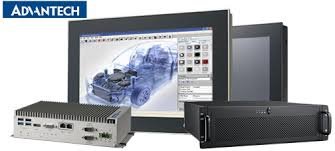
    Advantech, a trusted name in embedded industrial PCs, stands out for delivering reliable and durable solutions designed to withstand strong environments. Offering customization options to meet unique industry requirements, Advantech’s flexible configurations cater to specific needs, be it multiple expansion slots or specialized connectors. Advantech’s embedded industrial PCs prioritize connectivity with advanced networking features for seamless integration and real-time data communication. 

    Emphasizing security and reliability through industrial-grade components, they ensure stable performance in demanding conditions. For those seeking top-notch quality and reliability in embedded industrial PCs, Advantech’s cutting-edge technology and dedication to customer satisfaction position them at the forefront of the industry.

    Top 3: Siemens

    Siemens, a well-known and trusted brand in the field of embedded industrial PCs, consistently delivers high-quality products that meet the demands of industrial environments. With years of experience and expertise, Siemens actively pushes the boundaries of innovation, constantly coming up with new solutions to address the ever-evolving needs of industrial applications. Siemens does not disappoint when it comes to reliability; their embedded industrial PCs are built to withstand strong conditions such as extreme temperatures, vibrations, and electromagnetic interference, ensuring uninterrupted operation in demanding environments. 

    Choosing Siemens means gaining access to an extensive product range, covering everything from compact PCs for space-constrained installations to ruggedized PCs for outdoor use. The company’s commitment extends to excellent customer support and service, where knowledgeable technicians promptly assist and efficiently resolve any issues that may arise with your embedded industrial PC. Siemens earns its spot among the top three embedded industrial PC manufacturers through its active commitment to innovation, reliability, a diverse product range, and exceptional customer support.

    Top 4: Beckhoff

    Beckhoff, a prominent player in the field of embedded industrial PCs, offers high-quality solutions for various industrial environments, making them a top choice for businesses seeking robust and efficient computing systems. One notable feature of Beckhoff’s embedded industrial PCs is their modular design, enabling easy customization and scalability. Businesses can adapt these PCs to specific requirements, whether in terms of processing power, storage capacity, or connectivity options. 

    Beckhoff’s embedded industrial PCs are recognized for exceptional performance, equipped with powerful processors and ample memory to handle demanding applications without compromising speed or efficiency. The company prioritizes durability in its design, ensuring these devices can withstand strong environmental conditions such as extreme temperatures, vibrations, and shocks commonly encountered in industrial settings. Emphasizing connectivity and compatibility with other systems, Beckhoff’s embedded industrial PCs seamlessly integrate with various automation technologies, facilitating smooth data exchange and communication within an industrial network. 

    With a winning combination of flexibility, performance, durability, and connectivity, Beckhoff has earned its place among the top players in the market through active efforts to provide customizable solutions tailored for different industries.

    Top 5: Axiomtek

    Axiomtek, a leading provider of embedded industrial PCs, actively delivers high performance and reliability in demanding industrial environments. Known for innovative solutions, Axiomtek has earned a reputation for producing top-notch products that meet the specific needs of various industries. Axiomtek actively focuses on customization options, understanding the unique requirements of every industry. 

    They offer a wide range of configurations to ensure compatibility with different applications, covering multiple expansion slots, rugged design features, and specific input/output options. Axiomtek’s embedded industrial PCs feature robust construction, built to withstand extreme temperatures, shock, vibration, and other strong environmental conditions commonly found in industrial settings, ensuring uninterrupted operation and minimizing downtime for important processes. The company excels in providing exceptional connectivity options, with embedded PCs equipped with multiple I/O ports such as USBs, Ethernet ports, serial ports, and more. 

    This allows for seamless integration into existing systems and enables efficient data transfer between devices. In addition to hardware capabilities, Axiomtek actively offers comprehensive software support for easy system configuration and maintenance. Their user-friendly interface simplifies installation processes while ensuring optimal performance and stability. 

    Top 6: Kontron

    Kontron stands out in the world of embedded industrial PCs, boasting over 60 years of experience and a solid reputation across industries like automation, transportation, defense, and healthcare. Known for their ruggedness, Kontron’s PCs are designed to endure extreme conditions, offering reliable performance in challenging environments. Powered by advanced Intel processors, these devices provide impressive processing power and connectivity options. 

    What sets Kontron apart is its commitment to customization, and tailoring solutions to meet specific industry needs. Security is a top priority, with advanced measures such as secure booting and data encryption. For a durable, powerful, and customized industrial PC, Kontron is a top choice worldwide!

    Top 7: Portwell

    Portwell shines in the embedded industrial PC market, prioritizing quality and innovation for businesses in industrial settings. Their range of products is built to withstand strong conditions, featuring powerful processors and ample storage. Ruggedness is a key feature, making Portwell’s PCs ideal for manufacturing, transportation, and oil and gas industries. 

    Connectivity options are exceptional, with multiple ports for seamless integration. Security is important, incorporating advanced features like hardware-based encryption modules. Portwell stands out for flexibility, offering customization to meet specific industry requirements. Recognized for both product quality and excellent customer support, Portwell is a reliable choice for high-quality embedded industrial PCs.

    Top 8: DFI

    DFI earns its spot in the top 10 with a strong commitment to quality and reliability in the realm of embedded industrial PCs. Durability is a standout feature, making these machines suitable for strong environments in manufacturing, transportation, and healthcare. DFI’s customization options allow users to tailor PCs to specific needs, whether it’s extra storage or multiple expansion slots. 

    Performance is a priority, with powerful processors and ample memory ensuring smooth operation for resource-intensive applications. DFI’s customer support adds another layer of appeal, assisting when needed. With a focus on both performance and durability, DFI is a top choice for those seeking high-quality embedded industrial PCs.

    Top 9: WinSystems

    WinSystems, with over 35 years of experience, is a trusted provider of embedded industrial PCs known for high quality and reliability. Their products offer a wide range of form factors and configurations, catering to various industries such as transportation, manufacturing, and automation. Notable for their robust build quality, these PCs withstand strong operating conditions, making them ideal for challenging environments.

    WinSystems’ embedded industrial PCs excel in performance, featuring advanced processors, memory options, and connectivity like Ethernet ports, USB ports, serial interfaces, and expansion slots for seamless integration. Compliant with industry standards, WinSystems is recognized as a top provider of high-quality embedded industrial PCs. In conclusion, for reliable and durable industrial computing solutions, consider WinSystems’ offerings. Their reputation speaks to the quality delivered, ensuring a worthwhile investment.

    Top 10: Vecow

    Vecow, a trusted brand in high-quality embedded industrial PCs, stands out with innovative designs and cutting-edge technology. Known for robustness and reliability, Vecow’s PCs are suitable for demanding industrial environments, offering solutions for factory automation, machine vision systems, and intelligent transportation systems. A standout feature of Vecow’s PCs is their modular design, allowing easy customization and scalability without the need for a completely new setup. 

    Performance is a strong suit, with PCs powered by high-performance processors from Intel and AMD, ensuring smooth operation even under heavy workloads. Vecow emphasizes connectivity in their embedded industrial PCs, providing ample I/O ports and expansion slots for seamless integration with various peripherals and devices. Alongside impressive features, Vecow prides itself on excellent customer support, assisting users from PC selection to troubleshooting.

  • Exploring the Key Features of the Google Pixelbook: Unleashing its Power

    Exploring the Key Features of the Google Pixelbook: Unleashing its Power

    The Google Pixelbook

    The Google Pixelbook is a high-end Chromebook laptop developed and manufactured by Google. First released in 2017, the Pixelbook features a 360-degree hinge, allowing it to convert between a traditional laptop and tablet mode. It runs on Chrome OS, Google’s Linux-based operating system optimized for web applications and cloud computing.

    The Pixelbook aims to be the ultimate Chromebook experience with its premium design and powerful hardware. Its lightweight and slim profile, 12.3-inch touchscreen display, Intel Core processors, long battery life, and built-in Google Assistant are key features. The Pixelbook also supports the optional Pixelbook Pen stylus for creative work and navigation.

    The Pixelbook line offers different processor, RAM, and storage capacity configuration options. While pricing starts at $999, maxed-out models can cost over $1600. As a result, the Pixelbook targets high-end consumers and business professionals seeking a versatile, portable 2-in-1 laptop.

    The Purpose of the Review

    This review aims to provide an in-depth look at the Google Pixelbook to see if it lives up to its promise as a premium Chromebook. It will examine the Pixelbook’s design, hardware specs, performance, features, usability, and value compared to competitors. Key questions this review aims to answer include:

    • How does the Pixelbook compare to other 2-in-1 laptops in design, display quality, and portability?
    • Does the Pixelbook deliver smooth performance for daily tasks and multitasking?
    • Are the Pixelbook Pen and Google Assistant integration useful in practice?
    • How intuitive and user-friendly is the interface and navigation?
    • Is the Pixelbook worth its high price point compared to rival laptops?

    By evaluating both strengths and weaknesses, this review seeks to objectively assess whether the Pixelbook successfully delivers on Google’s vision of a premium Chromebook experience.

    Target Audience and Use Cases

    This Pixelbook review primarily targets consumers and professionals for a high-end laptop and hybrid device. It will especially appeal to those interested in Chrome OS who want the best Chromebook experience.

    Ideal users for the Pixelbook include:

    • Mobile professionals and business users need a lightweight laptop for travel
    • Creative professionals and students want a stylus for drawing, note-taking, and annotation
    • Users wishing a versatile 2-in-1 form factor with touchscreen and tablet capabilities
    • Those seeking a premium Chromebook with high-end design and performance

    In addition, the review can help inform shoppers comparing the Pixelbook to other laptops and hybrids like the Microsoft Surface Pro, Apple MacBook, or Lenovo Yoga.

    Unleashing the Power: Key Features of the Google PixelbookSleek Design and Portability

    One of the Pixelbook’s standout features is its slim, lightweight design, making it highly portable. Made of aluminum and glass, the Pixelbook measures just 0.4 inches thick and weighs 2.4 pounds. This slim profile makes it easy to slip into a bag or backpack when on the go.

    The aluminum body gives the Pixelbook a sleek, premium look and feel, while the glass panel on the lid adds a touch of elegance. Google offers the Pixelbook silver or black finish to suit different styles.

    The Pixelbook feels sturdy despite its size, with no flexing or creaking. It can be used comfortably in laptop, tent, or tablet modes thanks to the smooth 360-degree hinge. Overall, the Pixelbook’s design is on par with premium ultrabooks for mobility and build quality.

    Pixelbook Pen: A Creative Tool

    The Pixelbook also supports the optional Pixelbook Pen for creative work and navigation. Like the Apple Pencil, the Pixelbook Pen provides pressure sensitivity, tilt support, and low latency for a natural writing and drawing experience.

    Users can quickly jot down notes, annotate PDFs and screenshots, sketch ideas, and edit photos intuitively with the Pen. Support for Google Keep provides a seamless digital note-taking experience. The Pen attaches magnetically to the Pixelbook for easy access and charging.

    While not essential, the Pixelbook Pen greatly enhances the device’s versatility for creators, students, and business users. It costs an additional $99.

    Versatile 2-in-1 Functionality

    As a 2-in-1 device, the Pixelbook offers laptop and tablet modes in one device. The responsive 360-degree hinge lets the screen flip around completely to transform seamlessly between modes.

    Users can work in regular laptop orientation for typing and trackpad use. But the Pixelbook also excels as a tablet for reading, presenting, annotating, and touch input. Tent mode is great for watching movies. This hybrid functionality makes the Pixelbook adaptable to different environments and use cases.

    High-Resolution Display for Crisp Visuals

    The Pixelbook has a stunning 12.3-inch Quad HD touchscreen display with 2400 x 1600 pixels resolution. The high pixel density delivers incredibly sharp and vibrant visuals.

    Photos, videos, and web pages look stunningly detailed on display. The touchscreen also allows fluid use of touch gestures in tablet mode. Whether editing photos, watching movies, or browsing websites, the Pixelbook’s production excels.

    Powerful Performance with Intel Core Processor

    Under the hood, the Pixelbook offers configurations with 7th or 8th Gen Intel Core i5 or i7 processors. Combined with 8GB or 16GB of RAM, this hardware provides excellent performance for multitasking and intensive work.

    The Pixelbook handles heavy web browsing with dozens of tabs open smoothly. It can also edit photos and videos, work with large documents, and run light games and Linux apps without lag. For most everyday tasks, the Pixelbook delivers laptop-level performance.

    Long Battery Life for All-Day Use

    Despite its thin profile, the Pixelbook offers impressive battery life thanks to its power-efficient processor. The base model lasts around 10 hours on a charge for all-day work.

    Higher-end configurations with Core i5 and i7 processors achieve up to 12 hours of mixed-use battery life. This allows the Pixelbook to get through a full work or school day without recharging. The quick-charging USB-C ports can also provide 2 hours of use after just 15 minutes of charging.

    User-Friendly Experience: Usability and InterfaceSeamless Setup Process

    Setting up the Pixelbook is quick and seamless. Users need to log in with their Google Account to get started. This syncs settings and files from the cloud instantly. The setup wizard then guides users through simple steps to connect to Wi-Fi, customize settings, and install apps. Users can be up and running with the Pixelbook in under 5 minutes out of the box.

    Intuitive Keyboard and Trackpad

    Despite its thin profile, the Pixelbook’s backlit keyboard is comfortable to type on with good key travel. The keys are well-spaced and quiet. The trackpad is also highly responsive for navigation and gestures. The keyboard deck is sturdy without flex.

    The Pixelbook keyboard is comparable to top ultrabooks for a great typing experience. Shortcuts can also be used to launch Google Assistant or the app drawer. Overall, the input devices are intuitive and precise for productivity.

    Google Assistant Integration for Convenient Voice Commands

    With integrated Google Assistant, users can conveniently control the Pixelbook through voice commands. The “OK Google” hotword launches Assistant to complete tasks hands-free.

    Users can search the web, launch apps, adjust settings, play music, and more with their voices. Google Assistant makes using the Pixelbook quicker and more natural by reducing the physical input needed. Voice dictation is also supported.

    Easy Navigation with Touchscreen and Pixelbook Pen

    The Pixelbook’s touchscreen and optional Pixelbook Pen provide intuitive navigation in laptop and tablet modes. Users can quickly scroll, zoom, tap to click, annotate screenshots, and more with touch.

    The Pen enables writing or sketching naturally on the screen. It allows precise control for drawing and handwriting. Overall, touch and Pen input complement the keyboard and trackpad well for a great experience.

    Efficiency and ProductivityFast Boot-Up and Instant Access to Apps

    A key strength of the Pixelbook is providing fast access to apps and information. It boots up in just seconds, allowing users to start working quickly.

    Apps and web pages also load instantly, thanks to Chrome OS’s optimization of web resources. Everything is synced through the cloud so users can access their information anywhere without waiting.

    Multitasking Capabilities with Chrome OS

    The Pixelbook’s Chrome OS offers strong support for multitasking. Its windowed interface allows users to run multiple apps side-by-side. Apps can be snapped together, resized, or dragged around for customized workflows.

    Split-screen mode lets users run two apps simultaneously. Keyboard shortcuts make switching between windows fast and easy. Overall, the Pixelbook provides excellent multitasking capabilities.

    Google Drive Integration for Cloud Storage

    With built-in Google Drive integration, the Pixelbook offers simple access to cloud-based files and automatic syncing. Users get 100GB of Google Drive space for storing documents, photos, videos, and more online.

    Files can be accessed from any device and shared securely. Offline access allows working on files without an internet connection. Drive streamlined workflows and collaboration when using the Pixelbook.

    Robust Security Features for Data Protection

    As a Google device running Chrome OS, the Pixelbook offers multiple layers of security to keep user data safe.

    This includes sandboxing, encryption, verified boot, automatic updates to patch vulnerabilities, and built-in anti-virus software. The Pixelbook’s hardware is also designed with security in mind, like tamper-resistant screws.

    Pricing Options and Value for MoneyOverview of Pixelbook Models and Configurations

    The Pixelbook is available in three hardware configurations:

    • Base model: Intel Core i5, 8GB RAM, 128GB SSD – $999
    • Mid-tier: Intel Core i5, 8GB RAM, 256GB SSD – $1,199
    • High-end: Intel Core i7, 16GB RAM, 512GB SSD – $1,649

    All models have a 12.3-inch touchscreen display, glass trackpad, backlit keyboard, and aluminum chassis. The Pixel

    The Pixelbook Pen stylus is an additional $99. Overall, the Pixelbook provides options to meet different performance and budget needs.

    Comparing Pixelbook to Competitors in Terms of Price

    Compared to rival premium 2-in-1 laptops, the Pixelbook is competitively priced but still sits at the high end of the market.

    The base model compares favorably to the equivalent Microsoft Surface Pro and HP Spectre x360 13t. However, maxed-out Pixelbook configurations are much more expensive than top Dell, Lenovo, and other models.

    Given its premium hardware and versatility as a laptop and tablet, the Pixelbook delivers good value. But there are lower-cost options with similar specs available.

    Is the Google Pixelbook Worth the Investment?

    Given its high-end pricing, the Pixelbook is a significant investment. However, its excellent build quality, performance, and user experience justify the price for many users.

    The Pixelbook can easily replace a laptop and a tablet for mobile professionals and creative users. Business users may also appreciate the Pixelbook’s security features.

    However, budget-conscious consumers may want to consider lower-priced Chromebooks or Windows laptops. Overall, the Pixelbook will be worth it for users who need its unique portability, versatility, and power combination.

    Customer Support and ResourcesGoogle Support Channels and Availability

    Google provides Pixelbook support through online help centers, chat, email, and phone:

    • Help Center – Provides troubleshooting guides and FAQs
    • Chat Support – Available 24/7 to speak with a support agent
    • Email Support – For contacting support with detailed issues
    • Phone Support – Available 6 am-9 pm PT for urgent issues

    In addition, users can visit the Google Store for in-person support. Support is available in English, Spanish, and other languages.

    Quality of Customer Service

    Google’s customer service for Pixelbook has a strong reputation. Support agents are knowledgeable about Chrome OS troubleshooting. The chat and phone options provide quick access to helpful solutions.

    Common issues like installation problems, bugs, or hardware defects are resolved smoothly. Google’s repair center also makes fixing pixel book problems easy through mail-in service.

    Additional Resources and Learning Materials

    For learning how to get the most from the Pixelbook, Google provides additional resources:

    • Pixelbook Help Center – Tutorials, how-tos, and guides
    • Pixelbook Forum – Knowledge base of fixes and tips
    • Google Chrome Enterprise YouTube – Video tutorials

    Between official documentation, community forums, and video tutorials, Pixelbook users have many resources to master their devices.

    Pros and ConsAdvantages of the Google Pixelbook

    • Sleek, lightweight, and portable design
    • Vivid 12.3-inch touchscreen display
    • Seamless convertibility between laptop and tablet modes
    • High-end performance with Intel Core processors
    • Long battery life up to 12 hours
    • Pixelbook Pen for creative work and navigation
    • Easy-to-use Chrome OS interface
    • Instant access to apps and cloud storage
    • Built-in Google Assistant for voice control
    • Robust security protections

    Disadvantages and Limitations

    • Very expensive, especially higher-end configurations
    • Chrome OS still has limited offline functionality
    • It is not ideal for intensive creative work like video editing
    • No cellular connectivity option
    • Few ports beyond USB-C
    • Illustrative Use Cases for the PixelbookThe Pixelbook is best suited for users who:
      • Want a premium laptop with great portability
      • Need the flexibility of a convertible 2-in-1 design
      • Work in the cloud or primarily use web apps
      • Value digital inking capabilities
      • Desire maximum Chrome OS performance and features

    Its versatile functionality meets the needs of mobile professionals, students, artists, designers, and other creative workers.

    Alternatives to the Google PixelbookTop Competitors in the Laptop Market

    The Pixelbook competes with premium 2-in-1 laptops from other major brands:

    • Microsoft Surface Pro – Comparable 2-in-1 detachable with stylus support
    • HP Spectre x360 – High-end convertible laptop with stylish metal design
    • Lenovo Yoga 920 – Lightweight 2-in-1 with robust feature set
    • Dell XPS 13 2-in-1 – Powerful convertible with InfinityEdge display
    • Apple MacBook Pro – Top-tier Mac laptop with a premium build

    Comparing Features and Pricing

    The Pixelbook stacks up well against design, display, and hardware competitors. But other laptops offer similar specs for lower prices in many cases.

    The Surface Pro has a removable keyboard starting under $800. The Yoga 920 with a Core i7 CPU is around $1300. Meanwhile, the XPS 13 with comparable specs is priced below $1000.

    However, the Pixelbook’s strengths, like its Pixelbook Pen and Assistant integration, help justify its higher pricing for some users.

    Recommendations Based on Different User Scenarios

    The Pixelbook or Surface Pro are great choices for creative professionals and students. Business users wanting maximum productivity may prefer the Spectre x360 or Yoga 920. Budget-focused shoppers can save money with the XPS 13 without sacrificing performance.

    Users who rely heavily on macOS ecosystems may want to stick with MacBook models. But for those invested in the Google/Android ecosystem, the Pixelbook offers the best overall Chrome OS experience.

    Final VerdictSummary of the Google pixel book’s Strengths and Weaknesses

    The Pixelbook’s biggest assets are its stunning design, convertible flexibility, performance power, and extensive feature set. Key weaknesses include its premium pricing and hardware limitations relative to standard laptops running macOS or Windows.

    The Pixelbook delivers an excellent overall user experience but remains an expensive investment. It excels at blending productivity, creativity, and portability in a well-built package.

    Personal Recommendation and User Scenarios

    I recommend the Pixelbook to mobile professionals, creative workers, and technology enthusiasts seeking the ultimate Chrome OS laptop. It combines hardware, software, and cloud services for a seamless experience.

    For students and budget-focused users, more affordable Chromebook alternatives exist. Business users wanting maximum compatibility with legacy software may still prefer Windows or macOS laptops.

    But if seamless cloud connectivity, digital inking, and premium design are top priorities, the Pixelbook delivers enough advantages to justify its cost for the right user.

    Is the Google Pixelbook Worth Unleashing its Power?

    For the niche market seeking a high-end, versatile Chromebook, the Pixelbook unleashes Chrome OS’s potential. Its tight hardware and software integration creates a unified experience that rivals premium laptops running other operating systems.

    While not the right choice for all users, the Pixelbook pushes the boundaries of what a Chromebook can offer. For users able to take advantage of all its capabilities, the Pixelbook provides a high-performance and versatile computing experience. It features a sleek and stylish design, a vibrant touchscreen display, and a comfortable keyboard for efficient typing.

    One of the standout features of the Pixelbook is its ability to run Android apps, making it a great option for users who rely heavily on mobile apps. This expands its functionality beyond just web browsing and allows for a more seamless integration with the Android ecosystem.

    Additionally, the Pixelbook is powered by Intel Core processors, providing fast and smooth performance for multitasking and resource-intensive tasks. With ample storage options and RAM, users can store their files locally and work on demanding projects without worrying about running out of space or experiencing lag.

    The Pixelbook also offers excellent connectivity options, including USB-C ports for fast data transfer and charging and a headphone jack for audio output. Its battery life is impressive, allowing for extended usage without constantly needing to be plugged in.

    Furthermore, the Pixelbook has built-in Google Assistant, enabling voice commands and making it easier to perform various tasks hands-free. This feature enhances productivity and convenience for users who prefer a more streamlined workflow.

    However, it’s important to note that the Pixelbook is a premium device with a higher price tag than other Chromebooks. It may not be suitable for budget-conscious users or those requiring basic computing tasks. Additionally, its reliance on cloud-based storage might not be ideal for users who frequently work offline or have limited internet access.

    In conclusion, the Pixelbook is an exceptional choice for users who demand high performance, versatility, and a premium computing experience. Its integration with Android apps, powerful hardware, and sleek design make it a top contender in the Chromebook market.

  • 6 Best Podcasting Recording Softwares for Mac and PC

    6 Best Podcasting Recording Softwares for Mac and PC

    Are you looking to start your own podcast or upgrade your current recording setup?

    Podcasting has become an increasingly popular medium for sharing information, discussing ideas and entertaining audiences. With the rise of podcasting, there has also been a growing demand for high-quality recording software that is easy to use and produces professional-sounding audio.

    Here are some of the best podcast recording software available for both Mac and PC users. Whether you are a beginner or an experienced podcaster, these tools will help you create engaging content that will captivate your audience.

    So let’s dive in and explore the world of podcast recording software!

    Why Podcasters Need Dedicated Recording Software

    Image Alt text: A woman records a podcast or webinar at a home studio with professional equipment, a laptop, and a tablet, in a cozy setting with plants and speakers.

    While many recording software options exist, not all are suitable for podcasting. Podcast recording software is specifically designed to cater to the needs of podcasters who require features like multiple track recording, editing capabilities and the ability to publish directly to hosting platforms.

    To create a successful podcast, it’s imperative that your audio quality be top-notch. Good podcast recording software should be capable of producing studio-quality audio, which means crystal clear vocals that sound natural and present. Listeners should feel like they’re in the same room as you, engaged in a face-to-face conversation. This level of audio quality can be the difference between a one-time listener and a loyal subscriber. Moreover, high-quality audio can enhance your podcast’s professionalism and credibility, making it more appealing to prospective sponsors and collaborators.

    Features to Look for in Podcast Recording Software

    When choosing podcast recording software, there are a few key features to consider:

    • Multi-track Recording: This feature allows you to record multiple audio tracks simultaneously, making it easier to edit and mix different elements of your podcast, such as background music or sound effects.
    • Editing Capabilities: Look for software that allows you to edit your audio files with ease, including features like noise reduction, volume adjustment and adding effects.
    • User-Friendly Interface: As a podcaster, you want to focus on creating content, not struggling with complicated software. Look for programs that have a user-friendly interface and are easy to navigate.
    • Within Your Budget:  While some podcast recording software can be expensive, there are also affordable options available. Consider your budget and choose a program that meets your needs without breaking the bank.

    Top 6 Podcast Recording Software for Mac and PC

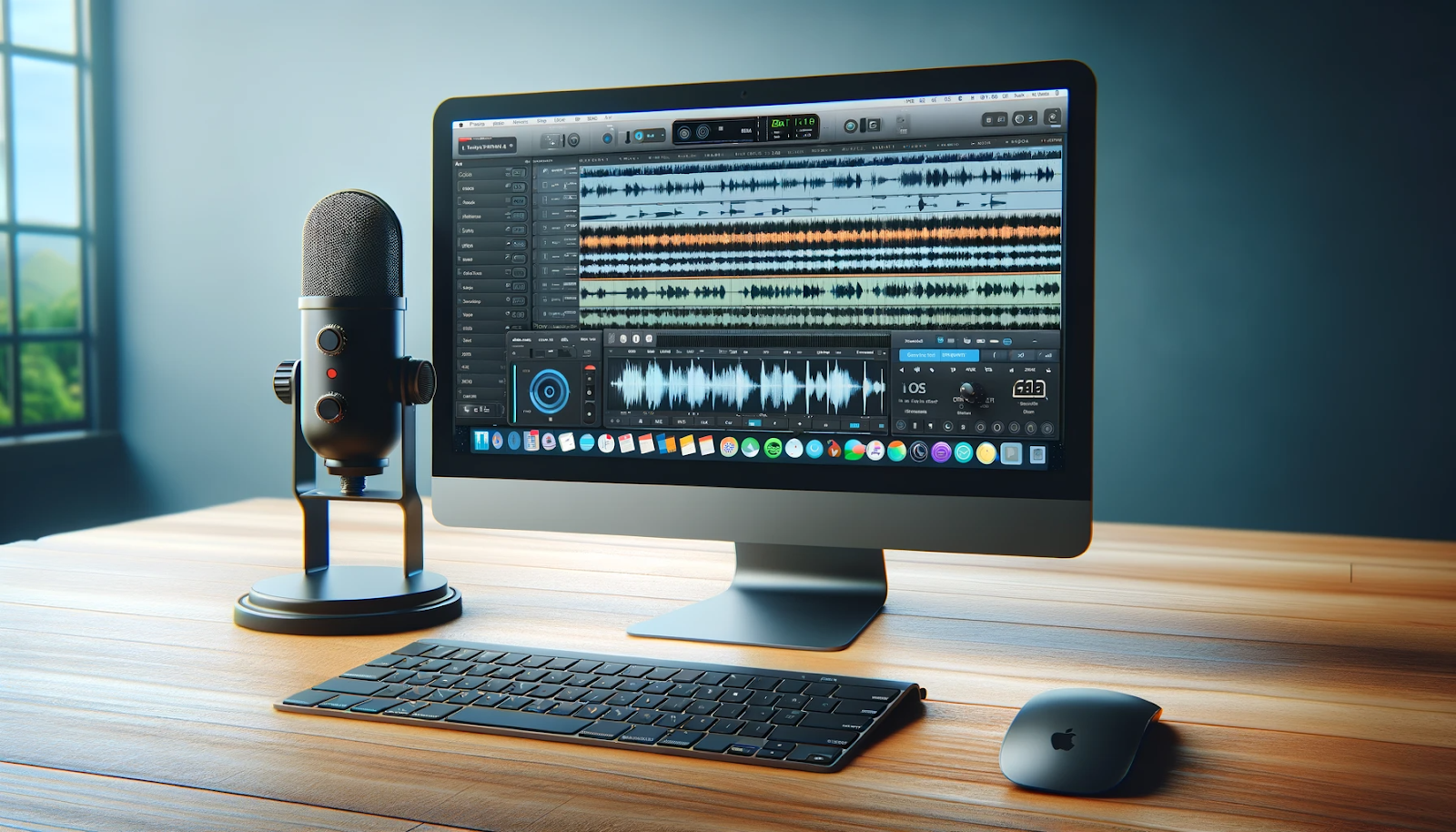
    Image Alt text: A desktop computer displaying audio editing software, with a microphone, keyboard, and mouse on a desk by a window.

    1. StreamYard

    StreamYard is a powerful podcast recording software and live streaming platform for both Mac and PC users that allows you to record both audio and video with up to 10 people simultaneously. One of the standout features of StreamYard is its ease of use, particularly for guests. They can join your podcast recording from their browser or phone in just a few clicks, eliminating the need for any software downloads. This hassle-free approach makes it an ideal choice for podcasters who frequently host guests or co-hosts on their shows. With StreamYard, you are not only saving time but also ensuring a smooth and efficient podcast recording experience for everyone involved.

    Features:

    • Advanced AI to remove background noise
    • Upload your own custom tracks.
    • Up to 256 kbps bitrate.
    • Multistream to many platforms
    • A separate audio and video file is recorded on each user’s device

    2. Adobe Audition

    Adobe Audition is a professional-grade podcast recording and editing software with a name that’s recognized across the industry. This high-performance program provides a comprehensive set of tools, making it a one-stop shop for all your podcasting needs, from recording to editing and post-production. It’s renowned for its clean interface and advanced audio restoration capabilities, which allow podcasters to edit recordings with precision and create an immersive audio experience for listeners.

    Features:

    • A sound panel is required for professional-quality audio.
    • It includes built-in presets to assist beginner podcasters in getting started.
    • Recording on a single or several tracks
    • Capabilities for noise reduction and sophisticated compression
    • Batch processing allows you to apply effects to a single file and save the settings for later use on another batch of files.

    3. Adobe Audition

    Adobe Audition offers helpful recording templates that simplify the process; it is best suited for users with prior audio editing knowledge. For your podcast, you can record individual tracks, add different sound effects, or select from a large selection of royalty-free music. If you wish to use Premiere Pro to create video podcasts, this recording program is part of the Adobe suite and integrates easily.

    Features:

    • Live observation while you capture
    • Recording and modifying templates
    • Royalty-free sound effects and music collection
    • Tools for audio mixing, removing white noise, and other editing tasks
    • Multitrack capture

    4. Logic Pro

    If you are a music producer as well as a podcaster, Logic Pro is an excellent choice for you. This high-quality tool offers seamless operation, combining professional mixing and editing capabilities that can be used in both music production and podcasting. Its robust audio engine and extensive plugin library make it a standout choice for those looking to create a podcast with superior audio quality. Logic Pro also boasts an intuitive design, making it user-friendly for beginners while still offering advanced features for more experienced users.

    Features:

    • Robust audio engine and extensive plugin library
    • Professional-quality mixing and editing capabilities
    • Intuitive design suitable for both beginners and experienced users
    • Seamless operation for flawless recording and editing
    • Ideal for music producers branching into podcasting

    5. Reaper

    Reaper is a digital audio workstation (DAW) that offers a plethora of features at a very affordable price. This digital audio production application enables users to record, edit, process, and mix both audio and MIDI tracks. Reaper is often referred to as the “lightweight” option in the realm of podcast recording software, given its unique feature of being installable and runnable from a USB. This means you can bypass the need to install the application on your computer’s hard drive, making it a hassle-free and convenient choice for podcasters on the go.

    Features:

    • Ability to record, edit, process, and mix audio and MIDI tracks
    • Customizable layout
    • Ideal for podcasters who prefer a portable option
    • Affordable pricing

    6. Garage Band

    GarageBand is a fully equipped music creation studio right inside your Mac, but it’s also an excellent entry-level podcast recording software. It is free, comes pre-installed on all Apple devices, and offers a range of audio recording and editing tools that are simple and intuitive to use. This makes it an attractive choice for beginners starting their podcasting journey. Despite its simplicity, GarageBand doesn’t skimp on quality, offering crisp, clear audio recording that rivals some of the more advanced (and expensive) offerings on the market. Whether you’re recording interviews, discussions, or soliloquies, GarageBand can cater to a variety of podcasting needs.

    Features:

    • Free and pre-installed on all Apple devices
    • Clear, high-quality audio recording
    • Intuitive interface with simple audio recording and editing tools
    • Ideal for beginners
    • A wide range of sound effects and music loops to enhance your podcast’s audio quality.

    Choose the Best of Your Choice!

    In conclusion, choosing the right podcast recording software depends on your specific needs and preferences as a podcaster. Whether you are a beginner looking for a user-friendly interface or an experienced producer seeking advanced features, there are a range of options available to cater to your requirements.

    Each of these software options offers unique features and capabilities that can help you create professional-sounding podcasts with ease. So take the time to research and explore different options before deciding on the one that best suits your needs and budget. With the right podcast recording software, you’ll be well on your way to producing high-quality content that engages and entertains your audience.

  • What Factors Influence Seasonal Fluctuations in Texas Electricity Prices?

    What Factors Influence Seasonal Fluctuations in Texas Electricity Prices?

    Seasonal fluctuations in electricity prices in Texas are influenced by a myriad of factors that shape the dynamics of the state’s energy market. The intricate interplay between supply and demand, weather patterns, regulatory policies, energy infrastructure, and consumer behavior forms the bedrock of these price variations. 

    Power To Choose Texas serves as a pivotal platform showcasing the diverse range of plans offered by electricity providers, making it a crucial focal point in understanding the multifaceted influences driving the seasonal shifts in pricing within the Lone Star State.

    Seasonal Fluctuations In Electricity Prices in Texas

    In the expansive landscape of Texas, electricity prices exhibit pronounced seasonal fluctuations, a phenomenon influenced by a tapestry of factors that uniquely shape the state’s energy market. Power To Choose Texas, a pivotal platform in the Lone Star State, unveils the intricate interplay between diverse elements contributing to these price variations.

    One of the foremost influencers is the erratic nature of Texas weather. Summers here are scorching, inducing a surge in demand for electricity as air conditioning becomes a necessity. This amplified demand strains the energy grid, leading to a subsequent increase in electricity prices. Conversely, during milder seasons like spring and fall, the demand subsides, and prices often dip in response.

    Regulatory policies wield a considerable influence on the price dynamics. Texas operates on a deregulated electricity market, where multiple providers vie for consumers through Power To Choose Texas. This competition theoretically fosters lower prices, but regulatory policies also come into play. Market structures, such as the cost of wholesale electricity or the imposition of environmental regulations, can impact prices. Additionally, grid maintenance and infrastructure improvements necessitated by regulatory mandates can contribute to price fluctuations.

    The resilience and capacity of the energy infrastructure constitute another pivotal factor. Texas has its grid, largely isolated from other states, making it susceptible to internal strains. Events like the winter storm in February 2021 underscored the vulnerability of the grid during extreme weather conditions, causing a spike in electricity prices due to supply shortages and infrastructure challenges.

    Consumer behavior, guided by available plans on platforms like Power To Choose Texas, significantly shapes seasonal pricing trends. The flexibility of choosing between fixed-rate plans or variable-rate plans empowers consumers but also impacts pricing. Fixed-rate plans offer stability with a consistent price throughout the year, shielding consumers from seasonal fluctuations. Conversely, variable-rate plans are influenced by market changes, potentially leading to cost savings or unexpected spikes based on market conditions.

    Understanding these intricate factors enables consumers to navigate the volatility of electricity prices. Power To Choose Texas serves as a guide in this endeavor, offering a myriad of plans to suit varying preferences and providing transparency in a complex market. Awareness of seasonal trends empowers consumers to make informed choices, whether opting for stability in fixed-rate plans or navigating market variations with variable-rate options.

    In essence, the seasonal fluctuations in Texas electricity prices embody a delicate dance between weather dynamics, regulatory policies, infrastructure resilience, and consumer choices, with platforms like Power To Choose Texas serving as a compass in navigating this intricate landscape.

    Switching To Green and Low Cost Energy is The Solution

    Switching to green and cost-effective energy sources stands as an impactful solution in reshaping the energy landscape, and Power To Choose Texas offers a gateway to explore and adopt these alternatives. Embracing renewable energy not only aligns with environmental stewardship but also presents a viable path toward mitigating escalating electricity costs.

    Renewable energy options, such as solar or wind power, have seen remarkable advancements, rendering them increasingly cost-competitive with traditional fossil fuels. Through Power To Choose Texas, consumers gain access to a plethora of green energy plans, often at comparable or even lower costs than conventional sources. These plans not only contribute to reducing carbon footprints but also offer long-term savings by leveraging abundant and sustainable resources.

    Moreover, as technology continues to evolve, innovations in energy storage and distribution further enhance the feasibility and reliability of green energy sources. By leveraging this technological progress showcased on platforms like Power To Choose Texas, consumers can make informed decisions, aligning their energy preferences with both economic prudence and environmental consciousness. Making the switch isn’t just about embracing a greener future; it’s a strategic move toward sustainable, affordable energy choices.

    Summary

    In conclusion, the seasonal fluctuations in Texas electricity prices represent a complex interplay of diverse factors that intricately shape the energy market. From the weather-driven demand spikes to regulatory policies, infrastructure resilience, and consumer behavior showcased on platforms like Power To Choose Texas, each element significantly impacts pricing dynamics. Understanding these multifaceted influences empowers consumers to navigate the volatility, make informed choices, and potentially mitigate the effects of seasonal price shifts. 

    As Texas continues to evolve its energy landscape, awareness of these factors becomes paramount, fostering a more resilient, adaptable, and consumer-centric approach to managing the ever-changing electricity market. Platforms like Power To Choose Texas play a pivotal role in offering transparency and choice, enabling consumers to embrace diverse plans and strategies that align with their preferences, whether it’s stability through fixed-rate plans or the flexibility of green energy options in an ever-evolving market scenario.

  • SSD vs HDD – Which is Better?

    SSD vs HDD – Which is Better?

    Looking to level up your storage game? Stuck between the flashy Solid State Drive (SSD) and the old-school Hard Disk Drive (HDD)? Do not worry, you are not alone in navigating this intricate technology landscape. In this era of continuously advancing devices, it is imperative to stay abreast of the latest storage trends. Allow us to delve into the SSD vs HDD comparison, shall we?

    First up, we have HDD – the traditional storage champ with spinning disks. On the other side, we have SSD – the speed demon fueled by flash memory chips. The outcome will be determined by your requirements, colleague.

    HDDs are cost-effective powerhouses with extensive storage capacity, although they exhibit slightly slower performance and higher vulnerability to crashes. Imagine your computer taking a nosedive because you accidentally tripped on a cable – yikes.

    SSDs, on the other hand, are the sleek speedsters of the storage world. They’re faster, more reliable, and sip power like a fancy tea. Booting up your system or launching apps feels like a breeze with these bad boys. Who needs a sluggish start, right?

    But hey, the SSD vs HDD debate rages on. Tech enthusiasts can’t seem to agree. Some bow down to the lightning-fast SSDs, while others swear by the good ol’ HDDs for their wallet-friendly nature and generous capacity.

    But let’s keep it real, folks. We just want a storage solution that works like a charm without emptying our pockets. Ultimately, the decision hinges on individual preferences and financial considerations.

    Choosing between SSD and HDD is like finding the ideal name for your little techie tyke. Whether you go for a timeless classic or a funky modern name, what matters is finding something that brings happiness to your heart – just like finding the right storage device.

    So, here’s the verdict: there’s no clear winner in the SSD vs HDD battle. Both have their perks and quirks, so pick the one that floats your tech boat. Conduct thorough research, carefully evaluate your options, and make a well-informed decision. Remember, we’re discussing your valuable data here – choose wisely. And when you part ways with your old HDD, give it a proper farewell to honor its years of dedicated service.

    Furthermore, it is crucial to consider servers. Dell servers from Velocity Tech Solutions offer exceptional performance and scalability to meet your data storage requirements. And guess what? You can even give your servers cool names. Who said data storage had to be boring?

    Why would a business need servers? Well, for starters, they’re like the backbone of your IT infrastructure. They store and manage all your critical data, ensuring smooth operations and keeping sensitive information safe from prying eyes. Also, with Dell servers, you can customize them to fit your specific needs – talk about a match made in tech heaven.

    Alrighty folks, we’ve reached the end of our journey through the tech maze. But before we part ways, remember this: whether it’s SSD vs HDD (or Dell servers), there’s no right or wrong answer – just what works best for you. And if you’re not sure which is best, talk to pros!

  • Test case management for cross-browser testing: 5 secrets to seamless success

    Test case management for cross-browser testing: 5 secrets to seamless success

    A consistent and flawless user experience across different web browsers is of paramount importance for many applications. This is where cross-browser testing comes into play, and effective test case management is the key to its success. In this article, the Zebrunner testing platform shares five secrets to consider for seamless cross-browser testing.

    Definition of cross-browser testing

    Cross-browser testing refers to the process of evaluating a website or web application’s functionality and appearance across multiple web browsers and their various versions. The goal of cross-browser testing is to ensure that a website works consistently and effectively for all users, regardless of the browser or device they are using. This process helps identify and address compatibility issues, rendering inaccuracies, and other browser-specific problems that can impact the user experience.

    Cross-browser testing typically involves the following key aspects:

    Вrowser compatibility. It assesses a website’s performance on various web browsers, including popular options like Google Chrome, Mozilla Firefox, Apple Safari, and Microsoft Edge. Testing on different versions of these browsers is essential since each version may render web content differently.

    Operating system compatibility. Websites should work seamlessly on various operating systems like Windows, macOS, Linux, Android, and iOS. Cross-browser testing ensures that a website functions consistently on all these platforms.

    Responsive design. As mobile devices become increasingly prevalent, ensuring responsive design is essential. Cross-browser testing examines how a website adapts to different screen sizes and resolutions, providing a positive user experience on desktop and mobile devices.

    Test case management software and cross-browser testing

    Test case management software helps you organize, execute, and analyze test cases systematically, ensuring that the testing process is efficient and reliable. With the right test case management tool, you can streamline your cross-browser testing efforts. 

    Below you will find 5 secrets on how to improve cross-browser testing using test case management software. 

    Secret #1. Test case selection

    Begin by identifying the critical scenarios within your application. These are the functionalities and features that are essential to the user experience. Focus your testing efforts on these areas to ensure they work flawlessly across different browsers.

    Next, select the browsers and their versions that are most relevant to your target audience. Consider factors like browser popularity and usage statistics. Prioritize testing on browsers that a significant portion of your users are likely to use.

    Remember that not all test cases are equally important. Prioritize your test cases based on their impact on user experience and criticality. This will help you allocate your testing resources effectively.

    Secret #2. Cross-browser compatibility matrix

    Develop a compatibility matrix that outlines the supported browsers and their versions for your application.

    A cross-browser compatibility matrix is a document or reference tool used in web development and quality assurance to track and communicate the compatibility of a website or web application across various web browsers and their different versions. It serves as a visual representation of how the site functions on different browser-platform combinations. This matrix is essential for ensuring that the web content is displayed and functions consistently across a wide range of browsers, helping to deliver a positive user experience. A typical cross-browser compatibility matrix includes the following elements: browsers, operating systems, browser versions, and compatibility status. 

    Stay updated on the browsers and their versions that are supported by your application. This information is dynamic, as browsers are frequently updated. Ensure that your compatibility matrix remains current.

    Also, consider testing on various devices and operating systems to cover a wider spectrum of user environments. Ensure that your cross-browser testing accounts for mobile devices, tablets, and different desktop platforms.

    Secret #3. Test automation

    Test automation is an invaluable asset in cross-browser testing. It accelerates testing processes, increases test coverage, and minimizes human error. Automated test scripts can be run across multiple browsers, making it a time-efficient approach.

    Choose automation tools that support cross-browser testing. Selenium, for instance, is a widely used framework for automating browser interactions. Evaluate and select the tool that best fits your testing requirements.

    Once you’ve chosen an automation tool, implement it effectively. Develop automated test scripts that cover the identified critical scenarios and execute them across the chosen browsers. Regularly update and maintain these scripts to ensure their relevance.

    Secret #4. Test data management

    Web applications frequently incorporate dynamic content, including interactive elements, forms, and data that can be displayed differently in various web browsers. Effectively managing test data in cross-browser testing is critical to maintaining consistency and ensuring that your web application functions as expected across different browser-platform combinations. Test data management is crucial in cross-browser testing due to the following reasons:

    Dynamic content handling. Web applications often rely on JavaScript and dynamic elements to provide interactive features. In cross-browser testing, it’s important to ensure that these dynamic components work correctly across all supported browsers. For example, ensure that dropdown menus, sliders, and date pickers behave consistently, even if they are implemented using JavaScript libraries.

    Form submissions. Handling form submissions is a critical part of web application functionality. Different browsers may interpret form data and submissions slightly differently. Test data management should involve verifying that data entered in input fields is correctly processed and submitted, regardless of the browser used. It’s essential to account for variations in browser behavior, such as how they handle date formats, character encoding, and form validation.

    Data display and layout. Cross-browser testing should also encompass data display and layout consistency. Different browsers may interpret and render HTML and CSS code in distinct ways, potentially leading to layout discrepancies and issues. Test data management should include verification of how data is presented, fonts, spacing, and overall layout alignment. This ensures that users have a visually consistent experience across various browsers.

    Secret #5. Reporting and analysis

    Reporting and analysis provide a clear and concise way to communicate the results and progress of cross-browser testing to project stakeholders, including developers, project managers, and clients. It ensures that everyone is informed about the status of browser compatibility. In addition, detailed reports and analysis help prioritize issues and determine which browser-platform combinations require immediate attention. This allows teams to allocate resources effectively and address critical issues first, ensuring that the most widely used browsers are supported.

    With reporting, you can uncover trends and patterns in cross-browser issues. For example, you may identify recurring problems with a specific browser or version, allowing you to focus on solving root causes and preventing similar issues in the future. Furthermore, comprehensive reporting helps in risk assessment and mitigation. By understanding the status of cross-browser compatibility, you can proactively address issues before they impact a significant portion of your user base, reducing the risk of negative user experiences and potential revenue loss.

    Implement real-time test result monitoring to identify any issues promptly. This allows you to take immediate action when a test case fails on a specific browser. Capture and analyze test metrics, such as pass rates, fail rates, and execution times. These metrics provide insights into the performance of your application across different browsers and help in pinpointing areas that require improvement.

    Suggested reads:

    Skyward FBISD: A Comprehensive Guide to the Online Portal

    Why YouTube Vanced Shows No Internet Connection

    IgAnony: The Instagram Story Viewer for Anonymous Viewing

  • Elevating Headshot Photography: Blending Traditional Techniques with AI Innovations

    Elevating Headshot Photography: Blending Traditional Techniques with AI Innovations

    Headshot photography, a realm where technical prowess meets creative storytelling, has evolved significantly with the advent of AI technologies. Traditional techniques honed by professional photographers over years now blend seamlessly with cutting-edge AI solutions, such as those offered by platforms like headshotgenerator.io. This fusion of classic methods and modern technology is revolutionizing the way headshots are captured and perceived.

    Advanced Lighting Techniques

    Lighting, a cornerstone of traditional photography, gains a new dimension in AI-enhanced headshot photography. AI algorithms, like those in headshotgenerator.io, can analyze and replicate optimal lighting conditions that would otherwise require extensive setup and expertise. This technology ensures that subjects are presented in the most flattering light, closely mimicking the soft, diffused lighting favored by professional photographers.

    Precision in Angles and Composition

    The subtleties of angles and composition, crucial in traditional headshot photography, are adeptly managed by AI. Platforms like headshotgenerator.io utilize advanced algorithms to determine the most flattering angles, taking into account facial features and desired expressions. This automated precision in capturing angles and compositions allows for consistently high-quality headshots.

    Authentic Expressions and AI Interpolation

    Capturing genuine expressions remains a key focus in headshot photography. AI technologies are now able to assist in this aspect by analyzing a range of expressions and suggesting adjustments to capture the subject’s true personality. This AI-driven approach complements the photographer’s skill in creating a relaxed atmosphere for the subject.

    Background Optimization

    In the realm of AI-enhanced headshot photography, background selection and optimization are significantly streamlined. AI tools can automatically select or alter backgrounds to suit the subject, ensuring a harmonious balance between the subject and the backdrop, much like the careful selection process in traditional photography.

    Focus and Clarity Enhanced by AI

    Focusing, especially on the eyes, is a detail where AI can greatly assist. AI headshot generators apply sophisticated algorithms to ensure that the eyes are in sharp focus, enhancing the overall impact of the headshot. This level of detail, which requires a keen eye in traditional photography, is efficiently managed by AI, ensuring consistently sharp and engaging results.

    Equipment and Settings in the AI Era

    While traditional photography relies heavily on the photographer’s choice of equipment and settings, AI headshot generators simplify this process. These platforms are designed to emulate the effects of professional-grade cameras and lenses, providing users with high-quality results without the need for specialized equipment.

    Post-Processing: AI-Assisted Refinement

    AI also plays a pivotal role in post-processing. Headshotgenerator.io and similar platforms use AI to automatically adjust exposure, contrast, and sharpness, streamlining the editing process while maintaining a natural, unaltered look.

    Practice and AI Learning

    In traditional photography, practice is key to mastering the art. In the AI-driven world, this practice is mirrored by machine learning, where AI systems continually learn and improve from each interaction. This ensures that platforms like headshotgenerator.io are constantly evolving, offering increasingly sophisticated and accurate headshots.


    Conclusion

    The integration of AI technologies in headshot photography, as exemplified by platforms like headshotgenerator.io, represents a significant leap forward. This synergy of traditional techniques and AI innovation is creating new possibilities, making professional-quality headshots more accessible and consistent. Whether for professional photographers looking to enhance their workflow or for individuals seeking quality headshots with ease, the blend of AI and traditional photography techniques is setting a new standard in the world of portrait photography.

  • Mobile App Design Fundamentals: 8 Tips for Effective Content Strategy

    Mobile App Design Fundamentals: 8 Tips for Effective Content Strategy

    Content is king and if you fail to implement an effective content strategy while designing the mobile app, your efforts can go in vain. Need help with how you can build an effective content strategy?

    Don’t worry, here we are going to share the 8 best tips for content strategy for mobile app design!

    The most successful mobile apps have a strong base in every aspect, whether it’s development, content strategy, or design. If your mobile app design is compelling enough to attract potential customers, then only you can sustain growth in your field. 

    But the question is what attracts the target audience most?

    There are many supporting answers to this. Users can be attracted to your platform because of smooth access, related solutions to their issues, or most importantly, effective and informational content. Because only a good speed app can’t sustain users for a long time, you need to provide something fruitful to them. 

    In such a scenario, content is a solid base to stick customers to your mobile app. That’s why we are here to sort it out for you. 

    Without further ado, let’s roll in!

    What is an effective content strategy?

    A proper content strategy is the planning, creating, implementing, managing, and testing of the content. An effective content strategy will help to attract and engage more and more users. It will help to meet their needs and side by side capture your business goals. 

    But it is not as easy as it looks. So, how do you achieve a good mobile app design with an effective content strategy? 

    Here are some tips for content planning to have a fruitful content strategy!

    Best tips for effective content strategy in mobile app designing

    1. Concise and clear text content

    The simplicity of the mobile app design is everything. To make everything clear to the users, it should be simple, and concise, yet informative. The potential users who are visiting your app don’t want to get confused with the confusing information. 

    One of the major reasons behind this is the smaller screens of the mobile where users will see the content. That means one of the major issues of the mobile app design is to fit all the content into screen sizes. Here are some suggestions for using clear text content:

    • Customize the content as per mobile instead of copying it directly from the website. 
    • Don’t include too much information as it will result in a bad user experience.
    • Make the content as readable as possible. 
    • It is necessary to give proper line and letter spacing.

    Overall, concise and clear text content is the most effective way to give needed information to the visitors in any mobile app design. 

    2. Make a good balance between content and UI

    Making content support with UI is another important tip under mobile app design fundamentals. You should design the mobile app UI that goes with the content you are displaying. The content and UI balance is a crucial factor in making a good impression in the users’ minds.

    To make a good balance between content and UI, you can consider:

    • Proper color contrast helps users see and understand the content well.
    • Design UI in such a way that content visibility should be ok even if the user is watching it outdoors.
    • Give proper headlines or headings as per the sections of the page. 

    Clear UI elements will help users to see and comprehend the content quickly and comfortably. 

    3. Well optimize the touchscreen

    The touchscreen interaction of the mobile app should be user-friendly. It should work as per the habits of the targeted audience as user behaviors are different on mobiles. This is only possible when you optimize the UX for touch. 

    To optimize the touch screen, you can:

    • Place buttons in the area of the screen where the thumb can reach.
    • Place buttons as per the physiological behaviors and patterns of the user. 
    • Try to reduce the number of screens or tabs that a user has to scroll or navigate to enhance usability. 
    • Use navigation tools to help the users to understand what they are looking for.

    In short, making the app navigation as simple and easy as possible is an important aspect of the mobile app design and development whether it’s native, or hybrid mobile app development

    4. Make space for user-created content

    The next tip for effective content strategy in mobile app design is to allow user-generated content but with some limitations. One of the best examples of this is the comment and discussion section. Such things encourage users to participate and help the app grow among the audience. Apart from this, you can know about the flaws or bugs if any as users are the main testers. 

    But this is the case where you have little control over it. You can hope to get good content from the users but be prepared to have the worst. A user can post any comment related to your product and it will be displayed on your pages. 

    Customers can take benefit of the freedom you give them and chances are your product may be pushed to unexpected lows. That’s why it is necessary to make space for user-created content but with some limitations. 

    5. Cut out all the clutter

    As you know users are consuming content on shorter screens in mobile app designs. So, their attention span is also shorter. This is the reason you should focus on the important content only instead of all the website content. 

    You must cut out the clutter as any extra or unnecessary information can distract the user from doing what they actually supposed to do. Every button, image, or icon you add can increase the confusion on the display. 

    Your mobile app design should have only important elements and ask your designers to declutter the extra. As the mobile screen is small, try to add one call-to-action (CTA) button on each that can help the user to better understand what they need. 

    6. Make a content plan and create content models

    The content plan should be discussed with mobile app owner as per their needs or business requirements. The development team should go through the target audience before making the plan. So that they can decide the levels or hierarchy of the content plan and the required buttons or actions to be given. 

    You can create content models too to get the testing part done easily after the implementation. Content models can help to test the content with the design and user experience of the app to check if everything works as it should. 

    At this level, the team can discuss the required solutions to handle the complex content in advance and do the error correction. 

    7. Do proper implementation and testing

    Preparing a good content structure is not enough, it should be properly implemented and tested. After getting the required content strategy, ask the development and design team to implement it correctly. 

    You should test the content implemented in the mobile app design thoroughly on different mobiles with different screen sizes. You should also test for rotations to ensure it is shown as desired on every screen size. 

    The implementation and testing part should be done just prior to the actual content posting to ensure the error-free mobile app design. You should regularly check the part of the content where users are free to post data or comments. 

    8. Have limitations

    Everything done with boundaries gives better results as they bring limitations to doing what is needed only. So, stick to the boundaries while making a content strategy. It will help to have limitations for input fields especially. To have limitations, you can follow the given:

    • You should define a guide for writers too for minimum or maximum content length. 
    • For user-created content, set proper suggestions to avoid cluttered or unnecessary content. 
    • Set rules for content writers as well as users to input data to maintain a good mobile app design. 

    Summing Up

    Wrapping up with these best practices to build good content planning for mobile app design. 

    It takes time to organize and create an effective content strategy for any web platform. From building the base of the content strategy to using tools to manage the content better monitoring the strategy won’t be a hassle anymore. 

    Apart from the given 8 tips for effective content strategy, there is one important factor to consider to hold on to the niche. If you distract the user from what your app is all about, you may not get the desired user conversion rate. Try to be relevant as much as needed. 

    Good content is important for any mobile app design to have effective results as it will give desired user experience. 

    So, from our side to develop effective, beautiful, and accessible content layouts for mobile apps. As you know users access the content on different devices in different ways and content makers can face difficulties to ensure hassle-free user experience. 

    If you have already achieved a well-implemented content strategy for your mobile app design, you can consider some more tips:

    • Find creative ways to assist users in navigating the content using touch screens. 
    • Utilize smart ways to hide, display, or convey key pieces of information on different and limited screen sizes. 

    If you still have questions in mind, feel free to ask us. We will serve you happily!

    Meta Description – Mobile App Design – Best Tips for Effective Content Strategy – Concise and clear text content, Well optimize touchscreen, Cut out all clutter and many more.

    Author Bio – Upma is the Seo Executive at JoomDev. She loves to convert her ideas into reality by developing products to make your online business success with mobile app development company.

    You may also like to read:

    ApkZub, Download the Latest APKs for Free: Unlock Unlimited Fun Now

    DownloadHub4u Down in Your Country? – Here’s How to Access It

    SnapInsta: Your Ultimate Solution for Instagram Content Download

  • How Cobots in Manufacturing Affect Your Production

    How Cobots in Manufacturing Affect Your Production

    Robots have been an integral part of the manufacturing industry for decades, revolutionizing productivity and efficiency. But now, there’s a new player in town – cobots! These collaborative robots are changing the game by working alongside humans to enhance production processes. If you’re curious about how cobots in manufacturing can transform your business, then you’ve come to the right place. 

    In this blog post, we’ll explore what makes cobots different from traditional robots, their advantages, features, and even debunk some common misconceptions. Get ready to discover real-life case studies of successful cobot integration and learn about the challenges they present and how to overcome them. Plus, we’ll provide valuable insights on selecting the perfect cobot manufacturer for your specific needs. So grab a cup of coffee and let’s dive into the exciting world of cobots in manufacturing!

    What Are Cobots And How Do They Differ from Traditional Robots?

    Cobots, or collaborative robots, represent a significant shift in industrial robotics, focusing on safe and seamless human-machine collaboration. Here are key distinctions from traditional robots:

    1. Sensing and Adaptability
      • Cobots: Equipped with advanced sensors (force-torque, vision, proximity) to detect humans and obstacles, adjusting movements for safety.
      • Traditional Robots: Typically lack sophisticated sensing capabilities, often requiring physical barriers for safety.
    2. Programming Ease
      • Cobots: User-friendly interfaces with drag-and-drop programming, allowing non-technical personnel to teach tasks graphically.
      • Traditional Robots: Complex coding skills and lengthy programming processes are often necessary.
    3. Size and Flexibility
      • Cobots: More lightweight and flexible, suitable for various applications. Can be mounted on mobile platforms or moved easily based on production needs.
      • Traditional Robots: Often bulky and optimized for high-speed repetitive tasks, confined to specific areas like assembly lines or welding booths.
    4. Human Collaboration
      • Cobots: Engineered to work directly with humans, promoting collaboration and shared workspace.
      • Traditional Robots: Typically operate behind safety cages or in separate areas away from human workers.
    5. Mobility Options
      • Cobots: Offer flexibility through mobility options, adapting to diverse manufacturing requirements.
      • Traditional Robots: Generally designed for fixed installations, limiting adaptability.

    In essence, cobots redefine the human-robot relationship in industrial settings. Their advanced sensing, user-friendly programming, flexibility, and ability to collaborate directly with humans set them apart from traditional robots. This not only enhances safety but also opens up new possibilities for automation in various industries.

    Advantages of Integrating Cobots Into Your Production Line

    Integrating cobots into your production line offers a range of advantages that positively impact manufacturing processes:

    1. Collaborative Environment
      • Benefit: Creates a collaborative space for humans and machines to excel in their respective roles.
      • Impact: Automates repetitive, monotonous, and physically demanding tasks, allowing human workers to focus on complex and value-added activities.
    2. Small Footprint and Flexible Installation
      • Benefit: Cobots have a small footprint and can be flexibly integrated into existing workstations.
      • Impact: No extensive safety measures or dedicated space is required, minimizing disruptions to workflow.
    3. Ease of Programming
      • Benefit: Intuitive interfaces allow non-technical users to create complex workflows and teach the robot new tasks.
      • Impact: Reduces reliance on specialized programmers, enabling quick adaptation to changing production requirements.
    4. Enhanced Efficiency and Productivity
      • Benefit: Increased speed and accuracy in performing repetitive tasks.
      • Impact: Reduces cycle times, improves product quality, and enhances overall efficiency and productivity.
    5. Reduced Risk of Accidents
      • Benefit: Cobots have built-in safety features, including force sensors to detect unexpected contact with humans or objects.
      • Impact: Minimizes the risk of workplace accidents, ensuring a safer working environment.
    6. Competitive Edge
      • Benefit: Gain a competitive edge by adapting quickly to changing market demands without compromising quality or cost-efficiency.
      • Impact: Stay competitive in the fast-paced manufacturing landscape.

    In conclusion, integrating cobots into your production line brings substantial benefits, fostering improved worker collaboration, space optimization, ease of programming, enhanced productivity, reduced risks, and increased competitiveness. These advantages position businesses to thrive in dynamic manufacturing environments.

    How Cobots Work and Their Features

    Cobots indeed represent a significant advancement in robotics technology, particularly in terms of their collaborative nature and adaptability. Here are a few additional points that further highlight the benefits and impact of cobots:

    1. Cost-Effective Automation: Cobots are often more cost-effective than traditional industrial robots. Their lower upfront costs, ease of programming, and flexibility make them an attractive option for small and medium-sized enterprises (SMEs) that may not have the budget or expertise for complex robotic systems.
    2. Reduced Need for Specialized Training: Traditional industrial robots typically require specialized programming skills for setup and operation. Cobots, on the other hand, are designed to be user-friendly, requiring minimal training for operators. This democratization of robotic technology allows a broader range of workers to integrate and operate these systems.
    1. Improved Ergonomics: Collaborative robots are designed with safety in mind, not only in terms of avoiding collisions but also in terms of ergonomics. They can handle repetitive, physically demanding tasks, reducing the risk of injuries associated with such activities when performed by human workers.
    1. Human-Robot Collaboration in Assembly Lines: Cobots are well-suited for tasks that involve collaboration between humans and robots in assembly lines. They can take on the monotonous or strenuous elements of a task, allowing human workers to focus on more complex and cognitive aspects. This collaborative approach enhances overall efficiency.
    1. Rapid Return on Investment (ROI): Due to their ease of integration and adaptability, cobots often offer a quicker return on investment compared to traditional industrial robots. The ability to repurpose cobots for different tasks adds to their economic viability.
    1. Continuous Technological Advancements: The field of collaborative robotics is evolving rapidly, with ongoing advancements in technology. This includes improvements in sensors, artificial intelligence, and machine learning, enabling cobots to take on more sophisticated tasks and adapt to dynamic manufacturing environments.
    1. Application Beyond Manufacturing: While cobots have made significant inroads in manufacturing, their versatility allows them to be applied in various industries such as logistics, healthcare, and service sectors, further expanding their impact.

    In summary, cobots are indeed transforming the manufacturing landscape by combining the strengths of automation with the flexibility of human collaboration, ultimately leading to more efficient, safer, and adaptable industrial processes.

    Common Misconceptions About Cobots

    Some common misconceptions surrounding cobots in manufacturing and effectively debunked. It’s important to address these myths to encourage a more accurate understanding of the role and impact of collaborative robots. Let’s further emphasize the importance of dispelling these misconceptions:

    1. Human Job Replacement vs. Augmentation: Clarifying that cobots are designed to collaborate with, not replace, human workers is essential. The emphasis should be on how cobots augment human capabilities by handling routine or hazardous tasks, leading to a more enriched and fulfilling work environment.
    1. Ease of Integration and Adaptability: Highlighting the flexibility and ease of integration of cobots into existing workflows is important. Businesses should recognize that adopting cobots doesn’t necessitate significant disruptions or costly modifications, emphasizing the adaptability of these systems to various production environments.
    1. Cobot Accessibility for Small Businesses: Addressing the misconception that cobots are only suitable for large-scale operations is key to encouraging adoption among small and medium-sized enterprises. Emphasizing the diverse sizes and configurations of cobots helps businesses of all scales recognize their applicability.
    1. Job Growth Through Automation: Reinforcing the idea that automation, including cobots, can lead to job growth rather than job losses is important. Studies and real-world examples demonstrating how automation enhances overall productivity and creates new job opportunities should be highlighted to counter the fear of job displacement.
    1. User-Friendly Programming: Emphasizing the user-friendly nature of cobot programming is important for dispelling the myth that operating these systems requires extensive technical expertise. Highlighting the intuitive interfaces and the ability for non-experts to learn and program cobots helps businesses understand the accessibility of this technology.

    By addressing these misconceptions, businesses can make informed decisions about incorporating cobots in manufacturing processes. The goal is to promote a positive view of collaborative robots as tools that enhance efficiency, safety, and overall productivity, contributing to the growth and success of manufacturing industries.

    How to Choose the Right Cobots Manufacturer

    Choosing the right cobots in manufacturing is comprehensive and provides a solid framework for businesses looking to integrate collaborative robots into their manufacturing processes. To further emphasize the importance of these factors, let’s break down each point:

    1. Customizable Solutions: Manufacturing processes vary across industries and even within companies. Choosing a manufacturer that offers customizable solutions ensures that the cobots can be tailored to meet the specific needs and tasks of your production line.
    1. Reputation and Track Record: A manufacturer’s reputation and track record are indicative of their reliability and expertise. Positive customer reviews and successful implementations in similar manufacturing environments demonstrate their ability to deliver effective solutions.
    1. Technical Support and After-Sales Service: Ongoing technical support and after-sales service are important for the smooth operation of cobots. A manufacturer with a responsive support system and comprehensive training programs ensures that your team can effectively operate and maintain the cobots.
    1. Cost and Long-Term Considerations: While upfront costs are a significant factor, considering the total cost of ownership, including maintenance and potential upgrades, is essential. A transparent pricing structure and scalability options contribute to better long-term planning.
    1. Compatibility with Existing Systems: Seamless integration with existing machinery and systems minimizes disruptions and facilitates a smoother transition to automated processes. A manufacturer that understands and addresses compatibility issues ensures a more efficient implementation.
    1. Industry Experience: Industry-specific experience is valuable, as it indicates that the manufacturer understands the unique challenges and requirements of your sector. Look for a manufacturer with a proven track record in your industry.
    1. References and Case Studies: References and case studies provide tangible evidence of a manufacturer’s capabilities. They offer insights into successful implementations, helping you assess the practical impact of their cobots in real-world manufacturing scenarios.
    1. Warranty Terms: Clear and favorable warranty terms contribute to the overall value proposition. A manufacturer confident in the reliability of their products typically offers robust warranty coverage.

    By carefully evaluating these factors, manufacturers can make well-informed decisions, ensuring a successful integration of cobots into their manufacturing processes. The right choice of cobots in manufacturing not only addresses current needs but also positions the business for future growth and efficiency improvements.

    Conclusion

    In summary, cobots are revolutionizing manufacturing by enhancing productivity, safety, and cost-effectiveness when working alongside human operators. Real-world successes, like those of XYZ Manufacturing and ABC Electronics, showcase substantial improvements in productivity and employee satisfaction. Equipped with advanced sensors and learning capabilities, cobots navigate and continuously improve their performance, overcoming challenges such as setup costs and training with careful planning and support from reliable manufacturers.

    Choosing the right cobot manufacturer involves considerations of reliability, technical support, integration ease, and cost-effectiveness. Embracing cobots is now essential for companies seeking a competitive edge, providing transformative benefits in today’s dynamic market. Seize the opportunity to revolutionize your production line with this game-changing technology.