Get to know about the current tech, new update, form of innovation, and how tech is revolutionizing in the market and the industry as a whole. Get the latest news about technology from all around the world. The passionate tech-savvy have so much to share and talk about. We are completely a tech-driven place. Get to know the stories about top companies like Google and Apple and also learn about the small start-ups. How technology is changing and circling around everywhere in some form or the other.
The new graduates specializing in the field of technology are also welcomed to join our tribe and grow their expertise. It is a platform where all like-minded people can gather up together and start to share their experiences. Study, research, and evolve. Technishorts is a new world of technology. Check out the latest news headlines and select the blog as per your own choice.
The energy landscape is rapidly shifting, turning towards renewable sources like solar and wind to fuel the future. Central to this transition is energy storage system, especially those that integrate with solar photovoltaic installations.
The role of energy storage, particularly battery systems, is crucial in stabilizing and providing resilience to the increasingly dynamic renewable energy grids. With the technology and market growing at an accelerating pace, what do industry experts have to say about the value of energy storage in our quest for sustainable power solutions?
Harnessing the Sun Even When It Sets
With solar power experiencing unprecedented growth and cost efficiency, energy storage is becoming its indispensable ally. Solar and battery systems allow renewable energy generation to continue during non-daylight hours and can significantly mitigate the intermittency issues associated with solar power.
Industry experts agree that this combo supports grid stability and enables a more extensive penetration of solar power into energy systems that once relied on fossil fuels.
Responding to Demand
Battery storage allows energy to be saved for exactly when it’s needed, creating a more flexible and responsive grid. During peak demand, battery systems can provide a quick supply of stored solar power, reducing the reliance on costlier and less sustainable peak plants.
This ability to smooth out peaks and troughs in energy supply helps the environment and the consequent economic implications. Experts tout solar and battery systems as providers of stable power and as tools for comprehensive grid management.
The Economics of Solar and Battery Price
Solar panels have witnessed a remarkable price drop in the last decade, making solar energy among the most cost-effective sources available. Similarly, battery prices have been downward, albeit less steep than solar.
Experts across the globe highlight that this positive trend in solar and battery price signifies a future where solar and battery systems will not only be the green choice for power but the economical one, too. The plummeting costs offer an opportunity for all sectors, from utilities to individual homeowners, to capitalize on the long-term benefits of renewables and energy storage.
Solar and battery systems’ economic value is not limited to reduced electricity costs. Energy storage can also generate revenue through various grid services; in some cases, there are incentives for adopting battery technology.
While the initial investment can be significant, particularly for large-scale applications, experts emphasize that understanding the complete financial picture, including savings, incentives, and revenue streams, is crucial in justifying the adoption of solar and battery systems.
The Evolving Technology Landscape
The current market dominance of lithium-ion batteries may soon face competition from alternative technologies such as flow and solid-state batteries. Each of these technologies presents distinct advantages which may reshape the energy storage sector.
Experts underscore the necessity of research and development in battery technology to meet the growing scale and efficiency needed to address utility and individual energy storage needs.
The Potential in Smart Grid Deployment
Smart grids, integrated with advanced communication and control technologies, are the natural progression in modernizing energy infrastructures. By creating a network that can automatically balance supply and demand, smart grids can magnify the benefits of solar and battery systems.
Industry experts argue that the potential efficiency gains and the quality of service improvements that smart grids offer make them a vital target for future investment and development.
Micro Grids and Local Energy Communities
A concept growing in popularity is that of micro grids and local energy communities. These smaller, localized energy networks can operate independently or in conjunction with the main grid, supporting community resilience and fostering a prosumer model where individuals can consume and sell their generated energy.
Experts highlight the potential of such local energy arrangements in promoting both energy security and community-level sustainability.
Conclusion
Solar and battery energy storage systems are much more than just a flash in the pan or the flavor of the month in the energy sector. They are becoming integral to the new energy era, offering environmental and economic benefits.
The insights from industry experts provide a snapshot of the evolving role of energy storage and point towards a future underpinned by sustainable and reliable power supply. With each technological advancement and policy change, we are moving closer to realizing the full potential of solar and battery systems in creating a clean, stable, and affordable energy ecosystem.
One effective way to enhance your BMW driving experience today is by installing a reliable BMW CarPlay screen. The best carplay screen won’t only enable seamless integration with your mobile & Apple devices. In addition, it ensures your safety, as it allows you to take advantage of voice commands to perform different functions.
Furthermore, the best BMW CarPlay screens make it easier for you to navigate unfamiliar routes. This is possible because they provide easier access to Google Maps or Apple Maps. Enhanced user interface and access to entertainment are a few other benefits associated with using a wireless CarPlay screen with your BMW.
For you to get the best out of your BMW CarPlay system, you need to choose the right product. As you read on, you’ll discover a few factors that influence the choice of a suitable carplay product for your BMW car.
Compatibility
Is the BMW CarPlay screen compatible with your vehicle model? You should start by asking this question before deciding to choose a CarPlay system for your car.
Here are a few ways you can factor in “compatibility” when selecting the right system.
First, you need to check your vehicle’s model year before choosing a suitable screen. A good example of product you can buy from CARabc is this BMW 10.25 INCH NBT SYSTEM CARPLAY SCREEN (2012-2016). This CarPlay screen will only be compatible with your vehicle if its model year falls between 2012 and 2016.
Will the BMW CarPlay screen fit perfectly on your vehicle’s dashboard? Here’s where the need to factor in the syst’s screen size & resolution comes into play.
You should also check your vehicle’s infotainment system and ensure it supports the screen’s connection type.
OEM vs Aftermarket
Today, the best BMW CarPlay screens are available in two categories; OEM and aftermarket. If you’re looking for a product with better integration, you should go for OEM products. However, you should understand that aftermarket systems tend to have more features than OEM products.
Integration
The right BMW CarPlay screen should seamlessly integrate with your vehicle’s existing infotainment system. So, ensure to understand the existing system and confirm that its connection type matches that of the system you want to buy.
Extra features
There are tons of extra features you need to pay attention to when choosing a wireless CarPlay screen. Some of them include:
Voice control
Compatibility with mobile apps
Navigation
By factoring in these factors, you’ll be able to choose a CarPlay screen that’ll help enhabce your driving experience.
Manufacturer’s reputation
As earlier mentioned, you can either decide to go with an OEM or aftermarket product. If you’re choosing aftermarket system because of extra features, ensure to check the brand’s reputation. Doing this is crucial and it’ll assist you in choosing reliable, long-lasting, and high-quality BMW CarPlay screen.
Others
Other factors worth considering when buying a suitable CarPlay screen, such as this BMW 10.25 INCH NBT SYSTEM CARPLAY SCREEN 2012-2016, are:
Warranty
Online reviews
Your budget
You’ll have peace of mind if you choose a product with the right warranty. Online reviews will halp you understand whether or not the product is worth buying. Also, your budget will help you compare different products and choose the one with the best value.
Laptops don’t have a long battery life. If you charge your laptop for an extended period of time, you may notice that the battery drains quickly. This is because over time, the battery’s capacity is depleted and it can no longer be used as it once was.
However, there is good news. You can replace your laptop battery. If you are looking for information on how to install a new battery yourself, this article is for you.
This guide will help you complete the repair quickly and efficiently so you can continue working and enjoying the full battery life of your device.
Here are the steps you need to follow when replacing your computer’s battery:
Purchase a new HP laptop battery
Create a battery status report in Windows
Turn off the laptop.
Use a screwdriver to remove the back panel of the laptop.
Remove the old battery.
Insert the new battery into the laptop case.
Install the back panel back.
Test the laptop with the new battery.
Continue.
1. Purchasing a new battery for your HP laptop
Before you turn on your computer and begin the process, you’ll need to order an HP HT03XL batteries.HP support staff can help you with this, but you can also look up the make and model of your computer yourself to avoid choosing the wrong battery.
Before searching online for a new battery, check your computer’s serial number and manufacturer. Also, while searching, check that you can easily recognize the model and serial number of the battery.
If you don’t know how to find a replacement battery for your HP laptop, you have several options:
Use the battery search tool to find the right replacement battery.
If you need to replace an old computer battery, look on third-party websites.
How much do laptop batteries cost? Be aware that prices vary depending on the age of the laptop. Additionally, if you are looking for a replacement battery for your old computer, it can be difficult to find and expensive. Be sure to weigh the cost of replacing the battery against the cost of buying a new laptop.
2. Creating a Battery Report in Windows
Before replacing your HP battery, you need to know how well the battery is performing; you can easily do this in Windows with a battery report. To create a report, follow these steps:
Click on the bottom left corner of the screen to display the command prompt.
Type “powercgg/batteryreport” and press the Enter key.
3. The battery status report will be saved.
Click on the user folder to locate and view the Battery Status Report.
The report summarizes past battery performance and the last three charge cycles. To determine if the battery should be replaced, compare the estimated capacity to the capacity when fully charged.
If there is a significant difference between the capacity of the battery when unpacked and the current battery capacity, the battery may need to be replaced.
3- Unplug the laptop.
This is the easiest step in the entire process, but it bears repeating. In addition to completely shutting down your laptop, you need to make sure that it is unplugged. Otherwise there is a serious risk of electric shock and injury.
4. Use a screwdriver to remove the back panel of the laptop
To replace the battery, most HP laptops require the removal of the back panel. To do this, you will need to purchase a Phillips screwdriver or a laptop tamper-evident toolkit.
Before using the battery, you may need to remove the rubber feet on the back panel, depending on the HP laptop model. Use a plastic tool to pry up the rubber feet and remove the screws securing the laptop case.
Using a Phillips screwdriver, loosen the screws on the back panel and carefully remove the back cover of the laptop. At this stage, you may need to use the plastic tool again to loosen the edges. It is usually easier to carefully remove the panel from the edges, but you need to be careful not to damage the internal components.
5. Remove the notebook battery
Using a Phillips screwdriver, unscrew the screws that hold the battery inside the computer case. After unscrewing the screws, you need to disconnect the battery from the system. Do this carefully as these components are fragile and damaging them may cause problems in the future. The battery must also be completely removed from the device.
Remove the new battery from its packaging and make sure that the battery does not contain plastic. Double check that the battery fits your device to avoid compatibility issues. Place the battery in the socket of your laptop and make sure it is installed correctly.
6. Connect the new battery to the laptop itself.
At this point, you can start connecting the new battery. After installing the new battery, you will need to perform the opposite steps to get your computer back up and running.
Carefully connect the cable from the computer to the new battery.
Screw the battery into the device.
Make sure the battery is securely tightened.
Replace the back cover.
Align the back cover with the rest of the notebook before replacing it with a Phillips screwdriver. Be careful not to over-tighten or loosen the back cover to avoid damaging the device. If the computer has a rubber mount, replace it.
7. Test operation with a new battery.
When everything is ready, plug the computer into a power source. After charging for a few minutes, turn on the laptop and check if everything is working properly. If the laptop is working properly, run the Battery Status Report again to see the estimated capacity of the battery and if it is as expected. If so, the laptop is ready to use again, this time with normal battery life!
To summarize.
Replacing the battery in your HP laptop is not difficult. In addition, if you do it yourself, you can save time and money on sending your laptop in for repair. However, if you think that the job is more difficult than doing it yourself, or you are afraid of damaging your laptop, we recommend that you contact an expert.
Myflixer: Your digital playground for exploration and enlightenment. Click through the pixels of entertainment, tech, business, lifestyle, and fashion and discover a world where curiosity knows no bounds!
Laboratories play a critical role in scientific research, healthcare, manufacturing, and various other industries. Maintaining cleanliness and sterility within a laboratory environment is essential for ensuring accurate results, preventing contamination, and safeguarding the health and safety of personnel. In this regard, ultrasonic cleaners have become indispensable tools for laboratories worldwide, offering a range of benefits that enhance cleanliness, efficiency, and overall laboratory operations. Let’s explore why your laboratory needs an ultrasonic cleaner.
Thorough Cleaning of Laboratory Glassware
Laboratory glassware, such as beakers, flasks, test tubes, and pipettes, is essential for conducting experiments, analyses, and research. Over time, these items can accumulate residues, contaminants, and stubborn stains that compromise their integrity and affect experimental results. Ultrasonic cleaners provide a thorough and efficient solution for cleaning laboratory glassware, removing even the most tenacious residues and ensuring cleanliness and sterility for subsequent use.
Sterilization of Medical Instruments
In clinical and research laboratories, medical instruments and equipment must be sterilized to prevent the spread of infections and ensure patient safety. Ultrasonic cleaners offer an effective method for sterilizing medical instruments, such as forceps, scissors, probes, and tweezers. The cavitation action of ultrasonic waves penetrates crevices and intricate geometries, thoroughly cleaning and sterilizing instruments without the need for harsh chemicals or high temperatures.
Degreasing of Industrial Components
In manufacturing and industrial laboratories, precision components, tools, and machinery parts often require degreasing to remove oils, lubricants, and contaminants. Ultrasonic cleaners provide a precise and efficient solution for degreasing industrial components, ensuring optimal performance and reliability. The microscopic scrubbing action of ultrasonic waves penetrates deep into the surface of components, effectively removing oils and residues without damaging delicate surfaces or altering dimensional tolerances.
Cleaning of Electronics and Circuit Boards
Electronics laboratories and manufacturing facilities rely on ultrasonic cleaners to clean delicate electronic components, circuit boards, and microchips. Ultrasonic cleaning removes flux residues, soldering residues, and other contaminants from electronic assemblies, ensuring proper functionality and reliability. The non-abrasive nature of ultrasonic cleaning preserves the integrity of electronic components, preventing damage and prolonging the lifespan of electronic devices.
Restoration of Vintage Equipment and Collectibles
Research laboratories and museums often house vintage equipment, artifacts, and collectibles that require careful cleaning and restoration. Ultrasonic cleaners offer a gentle yet effective solution for cleaning and restoring vintage items, removing dirt, tarnish, and oxidation without causing damage. Whether it’s cleaning antique instruments, coins, or archaeological artifacts, ultrasonic cleaning can rejuvenate and preserve historical treasures for future generations.
Efficiency and Productivity
Ultrasonic cleaners streamline cleaning processes, saving time and labor in laboratory operations. Compared to manual scrubbing or soaking methods, ultrasonic cleaning offers faster cleaning cycles and more thorough results. Laboratory personnel can simply place items into the ultrasonic cleaner, select the appropriate cleaning cycle, and attend to other tasks while the machine does the work. This increases overall efficiency and productivity in the laboratory.
Environmental Friendliness
Ultrasonic cleaning is an environmentally friendly cleaning method that minimizes the use of harsh chemicals and solvents. Water-based cleaning solutions can be used effectively with ultrasonic cleaners, reducing the need for toxic or hazardous cleaning agents. Additionally, the efficiency of ultrasonic cleaning reduces water consumption and wastewater generation compared to other cleaning methods, contributing to sustainability and environmental conservation efforts.
Consistency and Reliability
Ultrasonic cleaning provides consistent and reliable cleaning results, ensuring uniform cleanliness and quality across batches of items. The controlled parameters of ultrasonic cleaning systems, such as frequency, power, and temperature, allow for precise customization of cleaning processes to meet specific application needs. This consistency is essential for maintaining laboratory standards, ensuring reproducibility of results, and complying with regulatory requirements.
Versatility Across Laboratory Applications
Ultrasonic cleaners find applications across a wide range of laboratory settings and disciplines, from healthcare and pharmaceuticals to materials science and forensics. Whether it’s sterilizing medical instruments, degreasing industrial components, or cleaning delicate glassware, ultrasonic cleaners offer versatile solutions that can adapt to diverse cleaning requirements. This versatility makes ultrasonic cleaners’ indispensable tools for laboratories of all sizes and specialties.
Enhanced Laboratory Safety and Hygiene
Maintaining cleanliness and hygiene within a laboratory environment is essential for protecting personnel, preventing cross-contamination, and ensuring the integrity of experimental results. Ultrasonic cleaning contributes to enhanced laboratory safety and hygiene by effectively removing contaminants and sterilizing equipment. Clean and sterile laboratory equipment reduces the risk of infections, ensures the accuracy of experimental data, and promotes a safe and healthy work environment for laboratory personnel.
In conclusion, ultrasonic cleaners are indispensable tools for laboratories seeking to maintain cleanliness, sterility, and efficiency in their operations. From cleaning laboratory glassware and sterilizing medical instruments to degreasing industrial components and restoring vintage artifacts, ultrasonic cleaners offer a range of benefits that enhance laboratory operations across various disciplines and industries. By investing in an ultrasonic cleaner, laboratories can improve cleanliness standards, increase productivity, and uphold the highest standards of quality and safety in their operations.
In a brand new hyper-linked world, data flows freely between devices, powering the entirety from communique and leisure to commercial enterprise operations and scientific studies. At the heart of this change lies an apparently easy yet critical component: the USB data cable.
Data Transfer: They permit the switch of virtual facts among gadgets. This can range from transferring documents and photographs to syncing tune libraries and updating software programs.
Power Delivery: Certain USB cables can also deliver power to a device, allowing it to charge its battery while connected. The charging velocity relies upon the cable’s specifications and the strength output of the connected USB port.
The Manufacturing Process of Data Cables
The production of top notch USB information cables entails numerous difficult steps:
Design and Development:cable manufacturer like CABLETIME begin with meticulous design, considering elements like connector kinds, cable duration, substances, and adherence to relevant requirements (e.G., USB-IF).
Material Selection: Selecting the right substances for wires, sheathing, and connectors is crucial for performance, durability, and protection. CABLETIME emphasises excessive-grade substances for reliable records transmission and electricity transport.
Wire Cutting and Stripping: Cables are precisely reduced to the favoured period, and twine ends are stripped to show the conductive centre. Automated equipment ensures consistency and accuracy throughout this degree.
Connector Assembly: Connectors are carefully connected to the cable ends. This involves soldering or crimping the wires securely to the connector pins, making sure a robust and reliable connection. CABLETIME utilises advanced strategies for steady and lengthy-lasting connector integration.
Moulding and Sheathing: Moulded plastic housings are used to reinforce the relationship factor between the cable and connector. The outer sheath is then implemented to defend the wires. CABLETIME employs first-rate sheathing materials for more advantageous flexibility and resistance to wear and tear.
Testing and Quality Control: Rigorous trying out is performed at numerous stages of production. This guarantees cables meet electric specs, withstand physical strain, and follow safety guidelines. CABLETIME prioritises stringent pleasant control measures to supply reliable and authorised products.
Packaging and Labelling: Cables are appropriately packaged to prevent damage for the duration of transportation and garage. Labelling offers critical data like cable kind, duration, and certifications.
CABLETIME has mounted itself as an outstanding player within the data cable manufacturing industry. Here’s what units them apart:
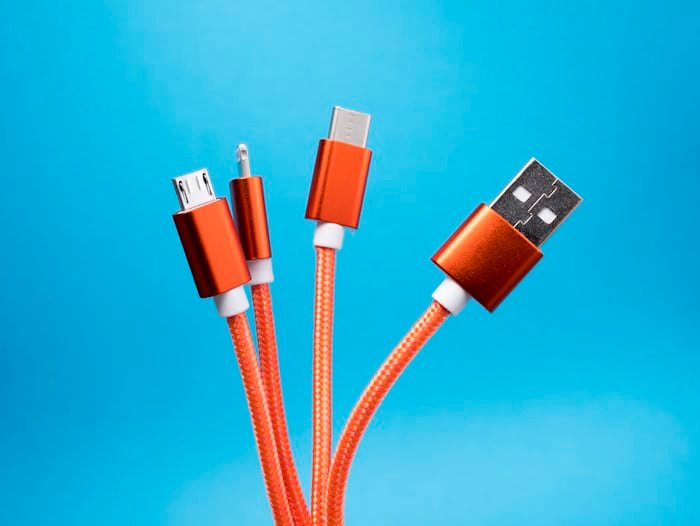
Extensive Product Portfolio: CABLETIME gives a diverse range of USB records cables, catering to diverse needs. This includes USB-A to USB-B, USB-A to USB-C, USB-C to USB-C, Lightning cables, and extra. They cater to laptops, smartphones, drugs, cameras, and different digital gadgets.
Commitment to Quality: CABLETIME prioritises terrific materials, rigorous checking out methods, and adherence to enterprise requirements. Their cables boast incredible overall performance, sturdiness, and protection.
Advanced Technology: CABLETIME invests in studies and improvement, staying at the forefront of USB technology. They offer cables helping fast data transfer speeds, high-wattage charging, and compatibility with the state-of-the-art USB model (USB4).
Customization Options: CABLETIME caters to companies seeking custom facts cable answers. This should involve printing trademarks, tailoring cable lengths, or incorporating unique connector types.
Reliable Partner: CABLETIME prides itself on being a reliable companion for distributors and wholesalers. They provide aggressive pricing, bulk purchase alternatives, and responsive customer service.
Beyond the Basics: The Future of USB Data Cables
The destiny of USB records cables is characterised by using non-stop innovation in numerous regions:
Increased Data Transfer Speeds: The insatiable call for a faster data switch will pressure the development of cables assisting even higher bandwidths. We can expect advancements beyond USB4’s current 40 Gbps, doubtlessly achieving speeds toward one hundred Gbps or extra.
Enhanced Power Delivery: USB cables will possibly play an extra prominent function in fast charging technology. Future cables might assist even better wattages, allowing faster charging instances for large devices like laptops and capsules.
Multifunctionality: The lines between information switch and energy delivery should blur in addition. Cables might incorporate additional functionalities like audio or video signal transmission, disposing of the want for separate cables.
Smart Features: Integration of smart chips into cables should liberate new opportunities. Imagine cables that automatically adjust strength transport based totally at the connected device or offer actual-time facts switch status.
Sustainability: As environmental attention grows, producers like CABLETIME will probably prioritise eco-friendly materials and manufacturing processes for records cables. This may want to involve using recyclable materials or implementing electricity-efficient production practices.
CABLETIME: Embracing the Future of Data Connectivity
CABLETIME is committed to staying ahead of the curve within the evolving world of USB records cables. They are actively engaged in:
Investing in R&D: CABLETIME dedicates sources to investigate and develop, exploring new substances, technology, and functionalities for their records cables.
Collaboration with Industry Leaders: They collaborate with enterprise leaders just like the USB Implementers Forum (USB-IF) to make sure their cables adhere to the present day requirements and specs.
Continuous Improvement: CABLETIME prioritises continuous development of their production processes, specialising in performance, sustainability, and delivering the highest exceptional products.
By embracing innovation and keeping a dedication to excellence, CABLETIME is well-located to be a main force within the destiny of USB records cables. They will hold to offer reliable, excessive-performance cables that join devices and empower the seamless waft of data in our ever-evolving technological landscape.
Conclusion
USB data cables are the unsung heroes of our digital international, silently facilitating the alternate information that drives our day by day lives. As the era progresses, recorded cables will adapt and evolve, providing faster speeds, extra capability, and even smarter functions. CABLETIME, as a leading record cable producer, is poised to play an important position in shaping this future, ensuring dependable and modern connectivity answers for generations to return.
In today’s digital age, where practically everything is linked to the internet, securing your computer is critical. From personal data to financial information, our computers carry a treasure of sensitive information that must be safeguarded from cyber threats. With the advent of cybercrime, taking proactive steps to protect your digital assets is more critical than ever. Investing in reputable antivirus software, such as Norton 360 Antivirus Plus, is crucial. In this blog post, we’ll look at five essential measures you can take to keep your computer safe, using Norton Antivirus Plus as your trusted partner.
1.Install Norton 360 Antivirus Plus
Installing reliable antivirus software is the first and most important step in securing your computer. Norton Antivirus Plus provides comprehensive protection from viruses, malware, ransomware, and other online dangers. It protects your computer from cyber-attacks by providing powerful security features such as real-time threat protection and multi-layered defense mechanisms. By installing Norton 360 Antivirus Plus, you can be confident that your computer is protected from the ever-changing world of cyber threats.
2.Keep your software updated
Cybercriminals frequently exploit software vulnerabilities to obtain unauthorized access to systems. To reduce this risk, keep your operating system and software programs up to date. Installing updates and patches regularly ensures that any known security holes are addressed as soon as possible, minimizing the likelihood of your machine being targeted by cyber-attacks. Norton Antivirus contains automated updates, which ensure that your antivirus software is constantly up to date with the latest threat intelligence and security upgrades.
3.Enable firewall protection
A firewall is a protective barrier between your computer and the internet, monitoring incoming and outgoing network traffic to prevent potentially hazardous connections. Enabling firewall protection provides a layer of defense for your computer, preventing unauthorized access and thwarting malicious attempts to enter your system. Norton Antivirus includes a built-in firewall that intelligently regulates network traffic, allowing you to browse the internet and utilize online services confidently, knowing your computer is safe from cyber dangers.
4.Practice Safe Browsing Habits
Cybercriminals frequently employ phishing emails, fraudulent websites, and other deceptive methods to fool people into disclosing sensitive information or downloading malware. To prevent yourself from such hazards, practice safe internet practices. Avoid Clicking on strange links or downloading attachments from unfamiliar sources, and exercise caution when disclosing personal information online. Norton 360 Antivirus provides web protection technologies that help block harmful websites and prevent phishing assaults, which improves your online security.
5.Regularly Back Up Your Data
Despite taking all essential safeguards, a cyber-attack might compromise your computer’s security. In such cases, backing up your vital data is valid. Please back up your files regularly to an external hard drive, cloud storage service, or other secure location so that they may be recovered during data loss or ransomware attacks. Norton Antivirus Plus has extra backup options, allowing you to store and swiftly restore your files during a cyber-incident safely.
Use multi-layered security measures: In addition to the core procedures listed above, using a multi-layered security method can improve the safety of your computer. Norton 360 Antivirus provides a comprehensive array of security tools that work together to safeguard your device from various threats. It includes:
Advanced Threat Protection: Norton 360 Antivirus uses cutting-edge technology to detect and stop emerging threats in real-time, providing proactive protection against the most recent malware strains and zero-day assaults.
Behavioral Analysis: Norton Antivirus Plus goes beyond traditional signature-based detection approaches by utilizing behavioral analysis to identify suspicious activities and malware-like behaviors.
Password Manager: Weak or overused passwords can cause significant security concerns, making it easier for fraudsters to obtain unauthorized access to your accounts. Norton Antivirus Plus contains a password manager that creates strong, unique passwords for your online accounts and securely saves them in an encrypted vault. Choosing complex passwords and using two-factor authentication where available may further strengthen your online security and secure sensitive information.
6.Learn about cybersecurity best practices.
In addition to adopting strong security measures on your computer, you should stay current on the latest cybersecurity risks and best practices. Cybercriminals continually upgrade their methods and approaches to circumvent security defenses and exploit holes, so users must be aware and proactive in their approach to cybersecurity. Keep up with the latest cybersecurity news and trends, and learn about popular attack vectors like phishing schemes, ransomware assaults, and social engineering techniques. By arming yourself with knowledge and awareness, you can better protect yourself from online risks and reduce your chances of falling victim to cybercrime.
7.Establish Device Management and Security Policies
If you manage several devices in a household or company, setting device management and security policies can assist in guaranteeing that all devices follow the same security practices. Norton 360 Antivirus provides centralized device management capabilities, allowing you to remotely monitor and modify numerous devices’ security settings from a single dashboard. Implementing device management and security policies simplifies security administration, reduces the risk of security breaches, and ensures consistent protection throughout your whole digital ecosystem.
8.Maintain vigilance and practice continuous improvement.
Cybersecurity is a continual process that necessitates constant monitoring and adapting to new threats. Even with solid security measures in place, it is critical to be aware and proactive in detecting and addressing any security risks. Regularly examine your security settings and configurations, conduct security audits and assessments, and remain current on the latest cybersecurity advances and best practices. You may effectively secure your computer and precious data from harm by exercising continuous improvement and remaining one step ahead of cyber dangers.
Conclusion
Finally, protecting your computer from cyber threats necessitates a proactive approach and the use of appropriate tools. By taking these five measures and investing in reputable antivirus software such as Norton 360 Antivirus, you can significantly improve your computer’s security and keep your valuable data from falling into the wrong hands. Remember that in today’s digital world, keeping secure online is not an option but a requirement. Norton Antivirus Plus can protect your computer from even the most sophisticated cyber threats.
Do you ever feel like your iPhone is a labyrinth of settings, leaving you overwhelmed and unsure of where to start? Well, fret no more! In this article, I will take you on a journey through the intricate world of iPhone settings and teach you how to navigate them like a digital Jedi. By mastering these settings, you can unlock the true potential of your device and streamline its performance for maximum efficiency.
Understanding the iPhone settings menu is essential for optimizing efficiency and enhancing device performance.
The settings menu is divided into sections that allow you to customize various aspects of your iPhone.
Customizing general settings, display & brightness, sound & haptic settings, and network & connectivity settings can greatly improve your iPhone experience.
Ensuring privacy and security through iPhone settings is crucial for safeguarding your personal data.
By following expert tips and customizing different settings, you can unlock the full potential of your iPhone and streamline its performance.
Understanding the Basics of the iPhone Settings Menu
The iPhone settings menu is a powerful tool that allows you to customize and manage various aspects of your device, ensuring it is tailored to your needs and preferences. With the ability to control everything from display brightness to sound settings, the iPhone settings menu empowers you to optimize your device’s performance and enhance your overall iPhone experience.
When you navigate to the iPhone settings menu, you will find different sections that organize the settings into logical categories. These sections include General, Display & Brightness, Sounds & Haptics, and more. Each section contains specific settings that enable you to control and fine-tune different functionalities of your iPhone.
For example, in the General section, you can adjust accessibility settings, manage privacy preferences, configure Siri, and monitor battery usage. Display & Brightness settings allow you to control brightness levels, text size, and display zoom, enhancing readability and visual comfort. Sounds & Haptics settings enable you to personalize ringtones, system sounds, and even enable haptic feedback for a more immersive experience.
Understanding the basics of the iPhone settings menu is vital for effectively navigating and optimizing your device. By familiarizing yourself with the layout and organization of the settings, you can easily find and adjust the specific configurations that suit your needs.
“The iPhone settings menu is like a control center for your device, giving you the power to tailor your iPhone to your liking. Mastering the basics of this menu is the foundation for unlocking the full potential of your iPhone.”
Whether you want to customize the appearance, configure privacy and security settings, or optimize network connectivity, the iPhone settings menu has you covered. Take the time to explore each section, adjust settings according to your preferences, and maximize the efficiency and performance of your device.
Now that you have a solid understanding of the basics of the iPhone settings menu, it’s time to delve deeper into each section and discover how to customize and optimize your iPhone for peak performance.
When it comes to optimizing your iPhone’s performance, the General settings section is a goldmine of customization options. By personalizing these settings according to your preferences and needs, you can enhance efficiency and streamline your device’s overall performance.
One of the key areas you can customize in the General settings is accessibility. Here, you can fine-tune features such as Display & Text Size, Magnifier, and VoiceOver to make your iPhone more user-friendly and accessible to individuals with different needs.
Another crucial aspect of customization is privacy. Within the General settings, you can control app permissions, location services, and even enable restrictions to protect your personal information. By taking control of your privacy settings, you can ensure the security of your data and have peace of mind while using your device.
Additionally, the General settings section allows you to customize Siri, Apple’s virtual assistant. You can enable or disable Siri’s voice activation, adjust language and accent preferences, and even teach Siri to recognize your voice for a more personalized experience.
Battery usage is another area where customization can significantly impact your iPhone’s efficiency. By managing settings such as Background App Refresh and Low Power Mode, you can prolong your battery life and ensure that your device lasts longer throughout the day.
By taking advantage of the customization options available in the General settings section, you can tailor your iPhone to meet your specific needs, ultimately enhancing overall efficiency and optimizing your device’s performance.
Customizing General Settings Tips:
Explore the Accessibility settings to make your iPhone more user-friendly.
Ensure your privacy by managing app permissions and location services.
Personalize your Siri experience by customizing its settings.
Optimize battery usage by adjusting Background App Refresh and enabling Low Power Mode.
Customizing the General settings is like tailoring your iPhone to fit you perfectly. By tweaking these settings to match your preferences and needs, you can optimize efficiency and achieve a seamlessly personalized user experience on your device.
Enhancing Productivity with Display & Brightness Settings
When it comes to optimizing your iPhone for productivity, the Display & Brightness settings play a crucial role. By adjusting these settings, you can control the visual appearance of your iPhone screen, making it easier to read and navigate your device.
One of the key settings you can adjust is the brightness level. By increasing or decreasing the brightness, you can find the perfect balance that reduces eye strain and ensures clarity while working on your iPhone. Adjusting the brightness according to your surroundings can also help conserve battery life, ensuring you can stay productive throughout the day.
Another important setting is the text size. Being able to adjust the text size allows you to find the perfect setting for your comfort and reading preferences. Whether you prefer larger text for easier readability or smaller text for fitting more content on the screen, customizing the text size can enhance your overall productivity.
Additionally, the Display Zoom feature allows you to magnify or minimize the display on your iPhone. This can be beneficial for individuals who have difficulty reading small text or need to see more content on the screen. By fine-tuning your display zoom settings, you can further optimize your iPhone for productivity.
“Customizing the display and brightness settings on my iPhone has made a significant difference in my productivity. I can easily adjust the brightness to match my environment and customize the text size for optimal reading comfort. These small tweaks have truly enhanced my overall iPhone experience!”
By personalizing the Display & Brightness settings on your iPhone, you can create a more comfortable and efficient workspace. Reduce eye strain, adjust text size, and fine-tune the display to suit your specific needs. Unlock the full potential of your iPhone and boost your productivity.
Mastering Sound & Haptic Settings for an Immersive Experience
When it comes to personalizing your iPhone experience, the Sound & Haptic settings are key. These settings allow you to customize the audio and haptic feedback on your device, creating a truly immersive experience.
With the Sound settings, you can choose your preferred ringtones, alerts, and system sounds. Whether you want a soothing melody or an energetic beat, you have the freedom to select the sounds that resonate with you.
But what truly sets the iPhone apart is its haptic feedback, which provides tactile sensations in response to your actions. By enabling haptic feedback, you can enhance the way you interact with your device and make it feel even more responsive.
Immerse yourself in your favorite music or movie by configuring the sound settings that suit your preferences. Feel the rhythm pulsate through your fingertips as you type on the keyboard or click virtual buttons.
Not sure where to start? Take advantage of the preset haptic patterns and explore how they enhance different interactions. From gentle vibrations to more pronounced taps, these haptic feedback options will elevate your overall iPhone experience.
Personalize Your Audio and Tactile Experience
Adjusting the Sound & Haptic settings is simple. Just head over to the Settings app on your iPhone and navigate to the Sounds & Haptics section. From there, you’ll be able to fine-tune the various settings to suit your preferences.
“By personalizing your iPhone’s audio and tactile experience through the Sound & Haptic settings, you can create a truly immersive environment tailored to your liking.”
Customize your device to match your unique style and preferences. Set a distinctive ringtone that reflects your personality. Choose alerts that catch your attention without being intrusive. Enable haptic feedback to add another dimension to your interactions.
Unlock the full potential of your iPhone by mastering the Sound & Haptic settings. Immerse yourself in a world of personalized audio and tactile experiences that enhance your overall iPhone journey.
Managing Network & Connectivity Settings for Seamless Communication
In today’s digital age, staying connected is essential. Your iPhone’s Network & Connectivity settings play a crucial role in optimizing communication and internet connectivity. By managing these settings effectively, you can ensure seamless communication and a reliable online experience on your device.
Let’s explore the various aspects of Network & Connectivity settings:
Wi-Fi
Wi-Fi is the foundation of your iPhone’s internet connectivity. It allows you to connect to wireless networks, providing fast and stable internet access. To manage your Wi-Fi settings:
Open the Settings app on your iPhone.
Tap on “Wi-Fi” to access Wi-Fi settings.
Select your preferred Wi-Fi network from the available options or enter the network details manually.
Cellular Data
Cellular Data ensures that you stay connected to the internet when Wi-Fi is not available. To manage your Cellular Data settings:
Navigate to the Settings app.
Tap on “Cellular” to access Cellular Data settings.
Toggle the Cellular Data switch to enable or disable your device’s cellular connectivity.
Bluetooth
Bluetooth allows you to connect your iPhone to other devices wirelessly. It enables seamless communication and data transfer between compatible devices. To manage your Bluetooth settings:
Launch the Settings app.
Tap on “Bluetooth” to access Bluetooth settings.
Toggle the Bluetooth switch to enable or disable Bluetooth connectivity.
VPN
A Virtual Private Network (VPN) provides an added layer of security and privacy when accessing the internet. It encrypts your internet connection, protecting your data from potential threats. To manage your VPN settings:
Access the Settings app on your iPhone.
Tap on “VPN” to access VPN settings.
Add a new VPN configuration by entering the necessary details provided by your VPN service provider.
By effectively managing your Network & Connectivity settings, you can ensure reliable communication and seamless internet connectivity on your iPhone. Stay connected and enjoy a hassle-free online experience!
Ensuring Privacy & Security with iPhone Settings
Your privacy and security are of utmost importance when using your iPhone. Apple provides robust privacy and security features that allow you to safeguard your personal information and protect your device from threats. Understanding and configuring these settings is vital to ensure the privacy and security of your iPhone and its data. Let’s explore the Privacy & Security settings:
Permissions for Apps
Your iPhone allows you to control the permissions granted to each app installed on your device. This ensures that apps can only access the information they genuinely need while protecting your privacy. To manage app permissions:
Go to the Settings app.
Navigate to “Privacy” and tap on it.
Select the relevant category (e.g., Camera, Microphone, Location) to manage permissions for specific app functionalities.
Face ID or Touch ID
Face ID and Touch ID provide an additional layer of security to your iPhone by allowing you to unlock your device and authenticate various actions using facial recognition or fingerprint scanning. To manage Face ID or Touch ID settings:
Access the Settings app on your iPhone.
Navigate to “Face ID & Passcode” or “Touch ID & Passcode” depending on your iPhone model.
Set up Face ID or Touch ID and enable them for the desired actions (e.g., device unlocking, App Store purchases).
Location Services
Your location information can be sensitive and is often used by various apps and services. Controlling access to your location services helps protect your privacy. To manage location services:
Launch the Settings app on your iPhone.
Tap on “Privacy” and navigate to “Location Services”.
Choose whether to allow location access for all apps or individually select the apps for which you want to enable location services.
By understanding and configuring the Privacy & Security settings on your iPhone, you can ensure the privacy of your personal data and protect your device from potential threats. Take control of your privacy and enjoy a secure iPhone experience!
Ensuring Privacy & Security with iPhone Settings
Privacy & Security settings are crucial for safeguarding your personal data and protecting your device from threats. As we navigate the digital landscape, it’s essential to take proactive measures to keep our information secure.
One of the key features in your iPhone’s Privacy & Security settings is the ability to control permissions for apps. By managing app permissions, you can decide which apps have access to your camera, microphone, location, and other sensitive data. This helps you maintain control over your personal information and prevent unauthorized access.
In addition to app permissions, enabling Face ID or Touch ID adds an extra layer of security to your device. This feature allows you to unlock your iPhone with your face or fingerprint, ensuring that only you can access your device and its contents.
Another important aspect of Privacy & Security settings is managing location services. By controlling which apps can track your location, you can protect your privacy and prevent unnecessary data collection. You can choose to grant location access to apps only when they are in use or disable it altogether for certain apps.
Furthermore, it’s crucial to stay vigilant about software updates. Keeping your iPhone’s operating system up to date ensures that you have the latest security patches and safeguards against potential vulnerabilities.
“Protecting your privacy is not only about safeguarding your personal data but also about maintaining your digital autonomy. By understanding and configuring the Privacy & Security settings on your iPhone, you empower yourself to control how your information is used.”
Configuring your Privacy & Security settings is a proactive step towards maintaining control over your personal data and protecting yourself from potential threats. By exercising caution and leveraging the powerful security features of your iPhone, you can enjoy a secure and private digital experience.
Conclusion
Mastering the iPhone settings menu may seem overwhelming at first, but with a little guidance, you can navigate it like a digital Jedi. By customizing the different settings according to your preferences and needs, you can optimize efficiency, enhance productivity, and ensure the privacy and security of your device.
Streamlining your iPhone for peak performance is essential to unlock its full potential. From customizing general settings to enhancing productivity with display and brightness settings, and managing network and connectivity for seamless communication, every aspect of the settings menu plays a crucial role. By fine-tuning these settings, you can create an iPhone experience tailored to your needs.
Remember, your iPhone is an incredibly powerful device, and by mastering its settings, you can make the most out of it. So, go ahead, dive into the settings menu, and start exploring the possibilities. Customize, configure, and optimize your iPhone to achieve efficiency, productivity, and a seamless user experience. May the Force be with you on your iPhone settings mastery journey!
FAQ
Where can I find the iPhone settings menu?
The iPhone settings menu can be accessed by tapping on the “Settings” app on your device’s home screen. It is represented by a grey icon with gears.
How do I navigate the iPhone settings menu?
To navigate the iPhone settings menu, simply tap on the desired section or setting to access its options. You can also use the search bar at the top of the settings menu to quickly find specific settings.
Can I customize the layout of the iPhone settings menu?
No, the layout of the iPhone settings menu is standardized and cannot be customized. However, you can rearrange the order of the settings within each section by tapping on “Edit” at the top right corner of the screen.
How do I reset the iPhone settings menu to its default state?
To reset the iPhone settings menu to its default state, go to “Settings” > “General” > “Reset” > “Reset All Settings”. Keep in mind that this will remove all customizations and return your device to its original settings.
Can I backup my iPhone settings?
No, iPhone settings cannot be backed up separately. However, you can create a full backup of your device using iCloud or iTunes, which will include your settings along with your data and apps.
How can I optimize my iPhone settings for battery life?
To optimize your iPhone settings for battery life, you can enable “Low Power Mode” in the “Battery” section of the settings menu. You can also disable background app refresh, reduce screen brightness, and disable unnecessary notifications.
Is it possible to revert back to previous settings after making changes?
Yes, if you want to revert back to previous settings after making changes, simply navigate back to the corresponding setting and adjust it accordingly. Alternatively, you can use the “Reset All Settings” option in the “General” > “Reset” section to reset all settings to their default state.
How often should I check and update my iPhone settings?
It is recommended to periodically check and update your iPhone settings to ensure that they are aligned with your preferences and needs. You can review and adjust your settings whenever you encounter issues or when you experience changes in your usage patterns or preferences.
Are there any additional resources for learning about iPhone settings?
Yes, Apple provides online documentation and support resources that offer detailed information on navigating and customizing iPhone settings. You can visit the Apple Support website or access the user guides for your specific iPhone model for more information.
Procurement and supply chain management is essential for any organization. Sadly, procurement and supply chain management can be burdensome. That is why big organisations should use procurement and supply chain software Automation for procurement and timely delivery.
So, how can procurement and supply chain software like CostBits improve your business?
In this post, we will discuss the benefits of procurement and supply chain software for C-level management or C-suite.
Benefit of Procurement and Supply Chain Software Solution for C-level Management
Improves Efficiency
Procurement and supply chain software can help to enhance efficiency within an organization. With software solutions, the processes are automated, thus decreasing the need for manual error, eliminating the need for paperwork, and increasing the speed of production. As a result, organizations get a Seamless workforce while allowing C-level management executives to focus on strategic activities.
Enhances collaboration and communication
Procurement and supply chain software solutions allow effective collaboration, coordination, and communication among C-level management executives, stakeholders, suppliers, internal teams, and partners. The software solution acts as a centralized communication channel where everyone can share information easily. This fosters collaboration across the board and improves faster delivery in a department.
Mitigate Risk
Procurement software helps organisations reduce their risks. This technology improves the entire risk management approach by detecting and managing potential problems such as supplier fraud or product quality difficulties. The software includes extensive features that allow firms to actively monitor supplier activity, guaranteeing compliance with standards and regulations. This is a proactive protection that reduces the likelihood of experiencing issues that could jeopardize the purchase process.
Increase Compliance
Procurement and supply chain software allows the C-level management team to enforce compliance in business. Software solutions automate a company’s policy throughout the Supply chain. Various actions within the supply chain must navigate tight compliance procedures to reduce the risk of non-compliance and promote transparency.
Increase revenue and profitability
Every business is constantly looking for ways to reduce costs, increase sales, and expand their profit margins. Procurement and supply chain software solutions allow the C-level management team to identify how to cut down the cost of production and increase profit margin. Gaining insight into your finances and identifying areas for savings will make it simpler to take advantage of chances that are often overlooked.
Improve customer satisfaction
Procurement and supply chain software work to reduce the overall time taken for good procurement, pass through the supply chain, and then to the customer. Efficient supply chain management is highly favored by customers as it ensures timely delivery of goods and well-assembled orders. Customers are happy when supply chain management is done well.
Gain better visibility and control
Procurement and supply chain software offers a business real-time visibility. This real-time visibility can be a valuable tool for effective C-level management. C-level executives, such as the Chief Executive Officer (CEO), Chief Operating Officer (COO), Chief Finance Officer (CFO), Chief Marketing Officer (CMO), and Chief Technology Officer (CTO) can discover trends, identify potential bottlenecks, and make informed decisions. Also with real-time visibility, C-level executives can understand and finance key areas of the procurement and supply chain effectively with delays.
Make smarter purchasing decisions
Another advantage of procurement and supply chain software solutions is that they help C-level management executives in making smart purchasing decisions. C-level management executives can keep tabs on inventory requirements and facilitate better sourcing and purchasing of raw materials, components, and finished goods. procurement and supply chain software solutions offer a way of comparing similar suppliers to determine who has the best raw material and best price in the shortest time possible.
Reduced cost
One of the benefits of Procurement Software is that it helps to cut down on costs associated with manual tasks through automation. Software Automation allows C-level management executives to identify cost-saving opportunities and reduce costs. Executives can negotiate better terms with suppliers, minimize inventory costs, optimize inventory costs, and reduce costs associated with administrative work by automating processes.
Conclusion
The benefit of procurement and supply chain software solutions can’t be overlooked. It can help your organization to navigate the Seamless and fast processes of products from procurement to your customer. By doing so, you can serve your customers better.
If you are looking for powerful analytics solution procurement and cost control software solutions, CostBits can help you.
Costbits has helped many big businesses with procurement and cost control. A procurement software with a powerful analytics solution built by professionals to bring transparency to your cost.
The UK government’s initiatives to promote ECO-friendly practices have become increasingly dominant. One such initiative is the provision of free boiler replacement grants, which assist homeowners in upgrading their heating systems to more energy efficient alternatives.
Free Boiler Grant Scheme:
Heating comprises a significant portion of homeowners’ energy consumption, with traditional boilers often being inefficient and environmentally destructive. Older boilers, in particular, are harmful for their high carbon emissions and low energy efficiency.
Recognizing this issue, governments and environmental organisations worldwide have introduced schemes to encourage the replacement of outdated boilers with more efficient models. By doing so, they aim to reduce carbon emissions, control fuel poverty, and promote sustainable living practices.
Eligibility Criteria for Free Boiler Replacement Grants:
Homeownership: The grant is available to homeowners in the UK.
Boiler Type and Installation Date: Eligibility requires that your current boiler is non-condensing, typically indicating boilers installed before 2005. Boilers installed after 2005 are generally condensing models and, unfortunately, do not qualify for this grant due to their already enhanced efficiency.
These criteria aim to assist homeowners in reducing energy costs and CO2 emissions by updating outdated and inefficient heating systems.
Energy Performance Certificate (EPC): To qualify for the free boiler grant scheme criteria, your EPC rating must be below D, or E, F, and G.
Receipt of Qualifying Benefits: To qualify for a gas boiler replacement grant, someone residing in the property must be receiving one of the specified tax credits or benefits, including:
Income-based Job seeker’s Allowance (JSA)
Income-related Employment & Support Allowance (ESA)
Income Support Allowance (ISA)
Working Tax Credit (WTC)
Child tax credit (CTC)
Universal Credit (UC)
Pension savings Credit
Pension Guarantee Credit
Child benefit
Housing benefit
Application Process:
Find an ECO4 installer: Locate qualified installers in your area who are certified to work under the free boiler government scheme. Additionally, you can choose freeboilersgrants to complete all the paperwork on your behalf till the installation of the free boiler.
Submit an application: We will guide you through the application process, submitting the necessary paperwork and submitting the application.
Check your eligibility: After an application submission, we check your eligibility to confirm whether you qualify for the ECO4 boiler scheme.
Home Energy Survey: After meeting with eligibility, our professional energy surveyor will visit your home to evaluate your heating system and energy performance certification rating for your eligibility.
Get approved and installation: Upon approval, we will schedule a date for the new boiler installation with minimal disruption, and you’ll begin enjoying the benefits of your new, ECO-friendly heating solution.
Benefits of Free Boiler Replacement Grants:
Financial Relief:
One of the most effective reasons to consider applying for grants for free boilers is the significant financial relief they provide. Boilers are an essential component of any home’s heating system, but they can also be costly to repair or replace, especially for families on tight budgets.
By providing funding for boiler upgrades or replacements, these grants reduce the financial burden on households, allowing them to maintain a comfortable living environment without sacrificing other essentials.
Energy Efficiency:
In addition to reducing financial stress, free boiler grants promote energy efficiency, which is a crucial factor in controlling climate change and reducing CO2 emissions. Older boilers are often less energy efficient, leading to increased greenhouse gas emissions and higher fuel consumption. These grants contribute to lower carbon footprints and a more sustainable future by incentivising the installation of energy efficient boilers.
Improved Home Comfort:
A reliable and efficient boiler is necessary for maintaining a suitable living environment, particularly during the colder season. Older boilers are inclined to inefficiencies, resulting in inconsistent heating and fluctuating temperatures throughout the home. By updating to a newer, more efficient boiler through a grants for free boilers program, homeowners can enjoy consistent warmth and improved comfort levels, enhancing their overall quality of life.
Health and Safety:
Above, comfort and financial savings, free boiler grants also address health and safety concerns associated with outdated heating systems. Older boilers are more sensitive to the home and environment, and carbon monoxide leaks create significant risks to occupants’ health and safety. By Facilitating the replacement of these outdated units with modern and safer units, free boiler grants help to control such risks, ensuring a healthier and safer living environment for families.
Long-Term Savings:
While the upfront cost of installing a new boiler may appear terrific, it’s essential to consider the long-term savings associated with energy efficient heating systems. New boilers are more efficient and require less frequent repairs and maintenance, lowering operating costs. Homeowners can enjoy significant long-term savings on energy bills by taking advantage of free boiler grants to upgrade to a more efficient unit.
Conclusion:
Free boiler replacement grants are essential in promoting energy efficiency, reducing CO2 emissions, and addressing fuel poverty among homeowners. These grants contribute to global efforts towards sustainable development and environmental conservation by incentivising the upgrade to more ECO-friendly heating systems. However, to maximize their impact, it is essential for governments and organisations to streamline the application process, allocate sufficient funding, and expand eligibility criteria to reach a wider demographic. Ultimately, by investing in energy-efficient technologies, we can develop a greener, more sustainable future for future generations.
Everyone is thrilled to know that Bitcoin has reached a new record value after two years in the market. People are already eager to invest money in top digital currencies like BTC and Ethereum, but it comes with its own risks. That’s where AI-driven technology comes into play, especially with Harambe Token.
Harambe Token is the first decentralized AI-powered hedge fund system. The Harambe AI bot conducts automatic trading on your behalf in the market. It harnesses the power of advanced AI and blockchain technology to revolutionize trading and investment opportunities.
After you buy Harambe Token, you don’t have to worry about shifting market trends or feeling like you made a mistake when buying other cryptos. Without human emotion and with extensive market knowledge, AI will carefully help you generate passive income.
But how does the Harambe Token technology actually work? Let’s dive in to find out more.
What is Harambe Token?
Harambe Token isn’t just a meme coin inspired by the internet sensation Harambe the gorilla. It goes beyond being just a meme. It’s a groundbreaking crypto asset backed by Harambe AI, an advanced auto-trading bot.
This bot works on the blockchain and lets users analyze trading data on their own. After undergoing thorough training with huge amounts of data for over a year, our deep neural network (DNN) gives the bot the ability to make trades with accuracy similar to experienced traders.
The sophisticated algorithm is trained on historical data from major cryptocurrencies. Independent audits give further insights into how it works, showing that we’re transparent in our actions. By owning the token, you can take advantage of the AI engine’s abilities and performance. You can relax while the AI bot handles trading for you, investing in top cryptocurrencies such as Bitcoin and Ethereum. The AI keeps an eye on the financial market, studies trends, and changes, and makes decisions in real time without being influenced by emotions.
Technical Insights of Harambe Token
The artificial intelligence powering the Harambe Token comprises seven essential components. In this section, let’s dissect the infrastructure to understand how Harambe Token develops an effective and efficient auto-trader.
Training & Model Optimization
Training and model Optimization involves teaching the DRL model using historical data through a reward system. Here, positive rewards are given for successful trades, while negative rewards are assigned for losses.
Various parameters are adjusted to fine-tune the model, such as the learning rate and dropout regularization. These adjustments help optimize the model’s performance, ensuring it operates at its best.
Data Ingestion & Preprocessing
Data Ingestion and preprocessing involve collecting raw financial information from various exchanges in real-time. This data includes details like prices, trading volumes, and order book data.
Once gathered, the data goes through a series of steps to prepare it for analysis. These steps include preprocessing, normalization, and feature extraction, which organize the data into a structured format suitable for training and analysis purposes.
Strategy Implementation using Game Theory
Harambe Token utilizes Game Theory Optimal (GTO) strategies to implement its approach.
This means it makes decisions aiming for long-term optimization, even in situations where the market behaves unpredictably.
Feedback Loop & Continuous Learning
Once trades are completed, the results are looped back into the model, enabling it to learn from both successful and unsuccessful outcomes.
This continuous learning process ensures that the AI remains flexible and enhances its strategies as it goes along.
Risk Management & Portfolio Optimization
Risk Management & Portfolio Optimization uses advanced algorithms to evaluate the risk-reward ratio for each potential trade.
This ensures that the AI avoids unnecessary risks while making investment decisions. Additionally, portfolio optimization techniques are used to spread investments across different assets, aiming to maximize returns.
Real-time Decision Making
Real-time Decision Making involves the AI consistently updating its market understanding using the latest data.
Decisions such as buy, sell, or hold are all made in real time. These instant decisions are adapted to current market conditions and the model’s predictions.
Neural Network Architecture
Harambe Token employs an advanced computer program called Deep Reinforcement Learning (DRL) for financial trading purposes. This model is tailored specifically to handle trading tasks.
The DRL model consists of several layers of Long Short-Term Memory (LSTM) units. These units are skilled at identifying and recalling complex patterns within data that change over time.
Conclusion
Harambe Token has 690 million HARAMBEAI tokens, and we’re clear about how they’re distributed. We’ve set aside tokens for marketing, engaging with our community, getting listed on exchanges, and the presale. Harambe Token uses an advanced AI bot to make trading easy and stress-free for token holders. Investors and trading enthusiasts can simply buy and hold the tokens while the AI bot takes care of everything for them. You can find more details about the presale and exchange listings on our website. If you resonate with our mission, we encourage you to delve into our pre-sale and join our venture.